Do you think IIT Guwahati certified course can help you in your career?
Introduction
Adding images of our choice to our favorite graphics is a fascinating task don’t you think? But most of us find the how part more difficult. Don’t worry young ninjas! We had you cover, we are going to introduce you to JavaFX imageinput class using which you can add images to the graphics of your choice. Before going further, let’s know a little about JavaFX.
JavaFX is a Java library for creating rich client applications. It provides an API for creating graphical user interface (GUI) applications that can run on almost any device that supports Java.
This blog will discuss the ImageInput class present in the JavaFX framework. We will also examine the types of constructors and methods present in the ImageInput class. Along with its implementation, so let’s get started.
ImageInput Class
The ImageInput class is used in the JavaFX application to apply various image input effects. In JavaFX, the image input effect simply embeds an image into the JavaFX screen. It is used to pass the specified colored rectangular region as an input to another effect, just like the Color Input effect. It can fill the specified shape with a given image input effect.
An Image Input effect is used to pass the specified image into another effect. This effect is primarily used to pass the unmodified image into the other effects.
The methods that we are going to need are present in the javafx.scene.effect class.
Constructors
There are three different types of constructors available in the imageinput class:
ImageInput(): Initializes the ImageInput class with the default parameters.
ImageInput(Image source): Create an instance of ImageInput with the specified image source.
ImageInput(Image source, Double X, Double Y): Create an ImageInput object with the default image source and the specified coordinates.
Properties and their Corresponding Setter Methods
Javafx.scene.effect.ImageInput class properties and their setter methods are described in the table below.
Implementation
import javafx.application.Application;
import javafx.scene.Group;
import javafx.scene.Scene;
import javafx.scene.effect.ImageInput;
import javafx.scene.image.Image;
import javafx.scene.shape.Rectangle;
import javafx.stage.Stage;

public class ImageInputEffectExample extends Application {
   @Override
   public void start(Stage stage) {
      //Creating an image
      Image image = new Image("https://www.codingninjas.com/blog/wp-content/uploads/2020/04/LOGO-05.png");

      //Instantiating the Rectangle class
      Rectangle rectangle = new Rectangle();

      //Instantiating the ImageInput class
      ImageInput imageInput = new ImageInput();

      //Setting the position of the image
      imageInput.setX(150);
      imageInput.setY(100);

      //Setting source for image input
      imageInput.setSource(image);

      //Applying image input effect to the rectangle node
      rectangle.setEffect(imageInput);

      //Creating a Group object
      Group root = new Group(rectangle);

      //Creating a scene object
      Scene scene = new Scene(root, 600, 300);

      //Setting title to the Stage
      stage.setTitle("Sample Application");

      //Adding scene to the stage
      stage.setScene(scene);

      //Displaying the contents of the stage
      stage.show();
   }
   public static void main(String args[]){
      launch(args);
   }
}
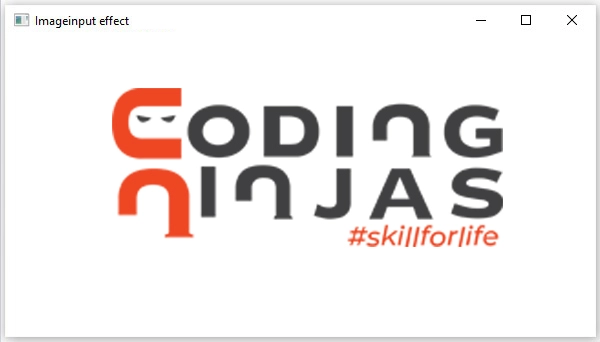
Output
Frequently Asked Questions
Which JDK has JavaFX?
The JavaFX SDK and runtime are included in the JDK, starting with Java SE 7 Update 2.
Is JavaFX different from Java?
The JavaFX is actually a different language than Java (similar, but different syntax), but it runs on a JVM and can use Java classes. It is mainly developed for "RIA" (rich Internet applications) across a variety of devices.
What is replacing JavaFX?
GWT, Vaadin, Qt, JSF, and Electron are some most popular alternatives and competitors of JavaFX.
Conclusion
In this article, we have extensively discussed the ImageInput class present inside JavaFX Framework. We have seen different constructors initialized in ImageInput class. Also, we have seen different methods available inside the class along with the implementation.







 7+ registered

