Do you think IIT Guwahati certified course can help you in your career?
Introduction
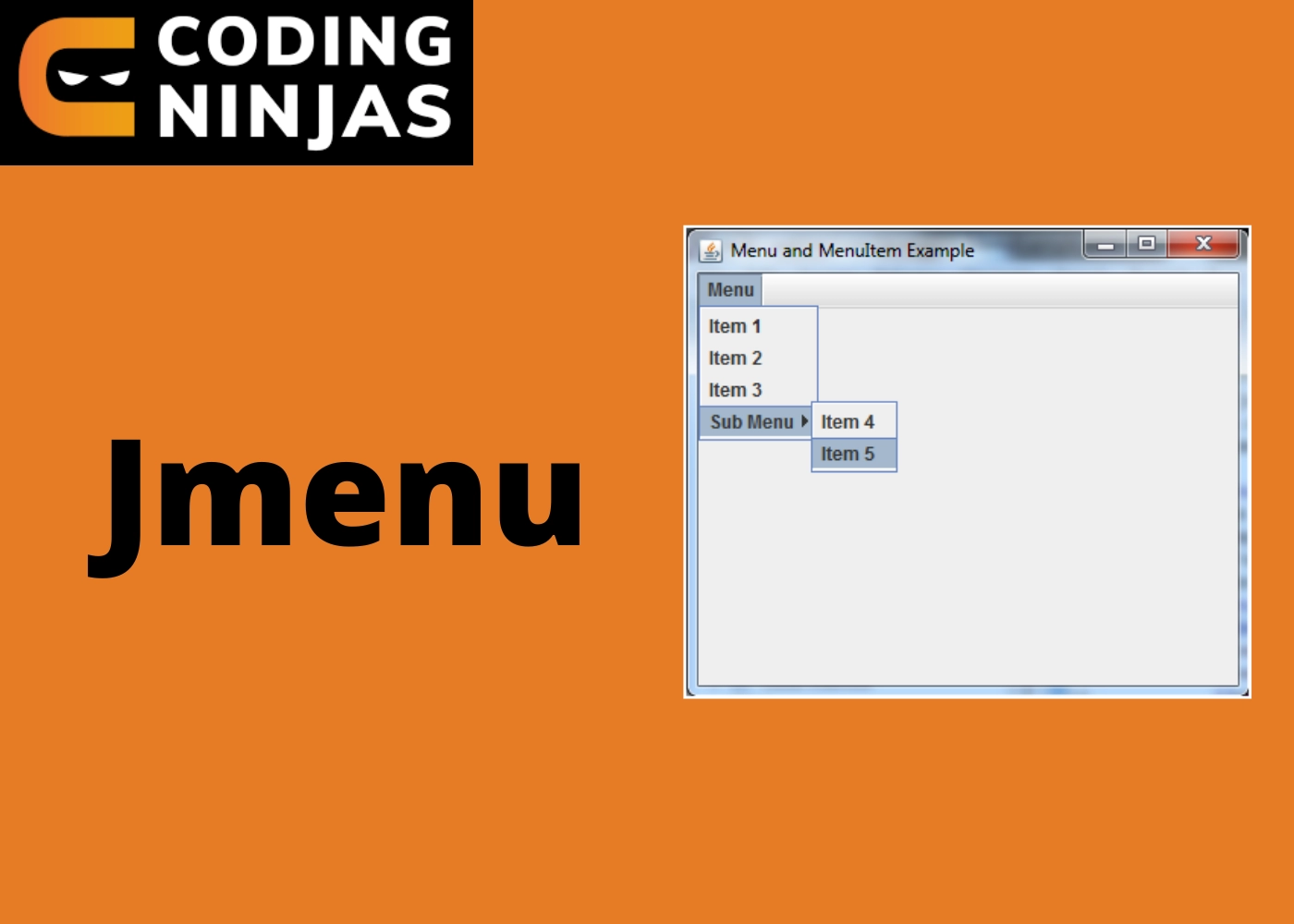
JMenu, JMenuBar, and JMenuItems are Java Swing components. JMenuBar is a menu bar implementation. At least one JMenu object is present in the JMenuBar. When these items are selected, a popup appears that shows at least one JMenuItems. It essentially communicates with a menu. It has a couple of JMenuItem Objects in it. It could also include JMenu Objects (or submenu). The Menu class corresponds to the drawdown menu component of a menu bar. The JMenuItem class represents an actual menu item. JMenuItem or one of its subclasses should be used for anything in a menu.
Class Declaration
JMenuBar class declaration
public class JMenuBar extends JComponent implements MenuElement, Accessible
You can also try this code with Online Java Compiler
It creates a menu with characteristics based on the Action provided.
JMenu(String s)
It creates a new JMenu with the text specified as its text.
JMenu(String s, boolean b)
It creates a new JMenu using the provided string as the text and the option to make it a tear-off menu or not.
Class Methods
Here is a list of methods in the Swing JMenu control class:
javax.swing.JAbstractButton
javax.swing.JComponent
java.awt.Container
java.awt.Component
java.lang.Object
Example 1
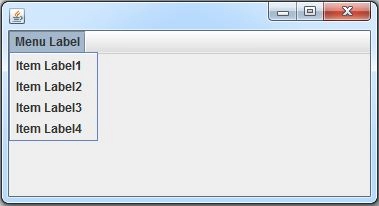
Here is an example for better understanding: we create a JMenu in JMenubar with the text "Menu Label" containing 4 JMenuItems.
import javax.swing.JFrame;
import javax.swing.JMenu;
import javax.swing.JMenuBar;
import javax.swing.JMenuItem;
public class JavaMenuItemExample
{
	public static void main(String[] argv) throws Exception
	{
		JMenuBar menuBar = new JMenuBar();
		JMenu menu = new JMenu("Menu Label");
		menuBar.add(menu);

		JMenuItem item1 = new JMenuItem("Item Label1");
		JMenuItem item2 = new JMenuItem("Item Label2");
		JMenuItem item3 = new JMenuItem("Item Label3");
		JMenuItem item4 = new JMenuItem("Item Label4");

		menu.add(item1);
		menu.add(item2);
		menu.add(item3);
		menu.add(item4);

		JFrame frame = new JFrame();
		frame.setJMenuBar(menuBar);
		frame.setVisible(true);
	}
}
OUTPUT
Example 2
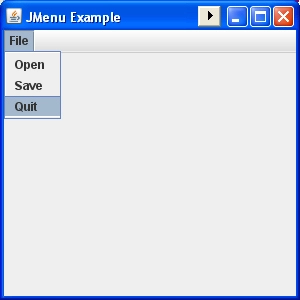
Here is another example of JMenu with the text "File" containing 3 JMenuItems: Open, Save, and Quit.
import java.awt.event.*;
import javax.swing.*;

public class JMenuExample extends JFrame implements ActionListener {

    public static void main(String[] s) {
        new JMenuExample();
    }

    public JMenuExample() {

        super("JMenu Example");
        addWindowListener(new WindowAdapter() {
            public void windowClosing(WindowEvent e) {
                System.exit(0);
            }
        });

        /*  Name the JMenu & Add Items  */

        JMenu menu = new JMenu("File");
        menu.add(makeMenuItem("Open"));
        menu.add(makeMenuItem("Save"));
        menu.add(makeMenuItem("Quit"));

        /*  Add JMenu bar  */

        JMenuBar menuBar = new JMenuBar();
        menuBar.add(menu);
        setJMenuBar(menuBar);
        setSize(300, 300);
        setLocation(200, 200);
        setVisible(true);
    }

    public void actionPerformed(ActionEvent e) {

        /*  Menu item actions  */

        String command = e.getActionCommand();

        if (command.equals("Quit")) {
            System.exit(0);
        } else if (command.equals("Open")) {

            /*  Open menu item action  */

            System.out.println("Open menu item clicked");
        } else if (command.equals("Save")) {

            /*  Save menu item action  */

            System.out.println("Save menu item clicked");
        }
    }

    private JMenuItem makeMenuItem(String name) {
        JMenuItem m = new JMenuItem(name);
        m.addActionListener(this);
        return m;
    }
}
OUTPUT
Frequently Asked Questions
What is JMenu in Java?
JMenuBar is a menu bar implementation.
What is the difference between applet and Swing?
Applets are small bits of functionality that operate in a web browser and can be downloaded on demand. Swing is a set of user interface components, such as text boxes and windows, that a developer can create for usage on the desktop.
What are the benefits of utilizing Jmenubars in an application?
JMenuBar is a class that displays a menubar on a window or frame. It could have multiple menus. The JMenu class's object is a pull-down menu component that appears in the menu bar.
Which Java version has Swing?
Since Java 1.2, Swing has been included as part of the Java Standard Edition.
Which property is used to sort ComboBox items?
The Sorted Property allows you to sort the elements in the ComboBox.
Conclusion
In this article, we have extensively discussed JMenu In Java, also learned about the commonly used constructors and methods, and saw some examples.
We hope this blog has helped you enhance your knowledge regarding JMenu In Java.









 1+ registered

