Do you think IIT Guwahati certified course can help you in your career?
Introduction
Hey! Today we have come up with a very interesting topic that will blow your mind. The topic is RPC Communication. We will learn various things related to the topic. Along with architecture, implementation, code and Output. Are you excited?
RPC is Remote Procedure Call, and it provides client-server communication.
Let us discuss more in the article.
What is RPC Communication?
An application built using GWT typically comprises client-side and server-side modules. Web servers execute server-side code, whereas browsers run client-side code. To access server-side data, client-side programs must send an HTTP request across the network.
And RPC, aka. Remote Procedure Call facilitates client-server communication. RPC is the process of calling a method from a class; the only distinction is that in this procedure, the class is placed on a server rather than a component of the client application.
RPC is servlet-based, and Service is a Server-side servlet.
RPC is asynchronous. Clients are never blocked while communicating.
Java objects may be transmitted directly between the client and the server by using GWT RPC.
RPC Components
The Java Servlet technology provides the foundation for the GWT RPC implementation. Typically, a remote procedure call is referred to as a calling service, and the server-side code invoked from the client is referred to as a service.
Below are the three components of GWT RPC Communication:
A server-side servlet that functions as a remote service.
Client code to call that Service.
Java data objects are sent between the client and the server.
Data objects may travel via HTTP since the GWT client and server automatically serialise and deserialise data. This eliminates the need for developers to serialise and deserialise objects.
Let us see the architecture of RPC below.
RPC Architecture
Service Creation
A service is referred to as a client-side interface that specifies all service methods. Since the Service is offered on the client's end, it is classified as a client package.
Defining Service Interface
To construct a new service interface, we will develop a client-side Java interface that extends the RemoteService interface.
If the above Service is not defined inside an Async interface and has a void return type, an error will result. The Async service calls back object should be present in this interface. Async should come after the service interface in the name of the interface.
OnSuccess and OnFailure are the two methods that this interface implements. In this, the class executes its functionality after receiving a callback from the server.
Code
import com.google.gwt.user.client.Window;
import com.google.gwt.user.client.rpc.AsyncCallback;
public class DemoCallback implements AsyncCallback {
@Override
public void onFailure(Throwable caught) {
 Window.alert("Exception occurred at server: " + caught);
 }
@Override
 public void onSuccess(String result) {
 Window.alert("Success. Result from server: " + result)
 }
 }
Service Implementation
Services are put into place to carry out certain processing in order to satisfy customer requests. Servlet architecture provides the foundation for service implementation.
Define Service Interface Implementation
The corresponding service interface should be implemented by GWT Service, which must extend RemoteServiceServlet. Instead of extending HttpServlet, it extends RemoteServiceServlet. RemoteServiceServlet automatically manages data serialisation.
Code
DemoServiceImpl.java
import com.google.gwt.user.server.rpc.RemoteServiceServlet;
import com.javatpoint.helloworld.client.service.SampleService;
public class DemoServiceImpl extends RemoteServiceServlet implements
SampleService {
@Override
public String sayHello(String name) {
 return "Hey! " + name;
}
 }
Entry of Service Updation
This updates the web.xml item where the servlet definition and URL mapping are located.
Here we go for the compilation file, WebApplication.java.
public class DemoWebApplication implements EntryPoint, ClickHandler{
SampleServiceAsync demoServiceAsync = GWT.create(SampleService.class);
Label lbl;
TextBox textBox;
        public void onModuleLoad() {
VerticalPanel vertlPanel = new VerticalPanel();
verticalPanel.setSize("100%", "100%"); vertPanel.setVerticalAlignment(HasVerticalAlignment.ALIGN_MIDDLE);
vertPanel.setHorizontalAlignment(HasHorizontalAlignment.ALIGN_CENTER);
                textBox = new TextBox();
 Button btn = new Button("Get Server Update ");  btn.addClickHandler(this);
 lbl = new Label("The text from the server updates here.");
 Image img = new Image();
                img.setUrl("https://www.codingninjas.com/ uploads/ cnlogo.png");
vertPanel.add(textBox); vertPanel.add(btn); vertPanel.add(lbl); vertPanel.add(img);
RootLayoutPanel.get().add(vertPanel);
}
@Override
public void onClick(ClickEvent event) {
demoServiceAsync.sayHello(textBox.getText(), new AsyncCallback() {
@Override
public void onFailure(Throwable caught) {
 Window.alert("Exception Received from server.");
}
@Override
 public void onSuccess(String result) { lbl.setText(result);
}
 });
 }
 }
Output
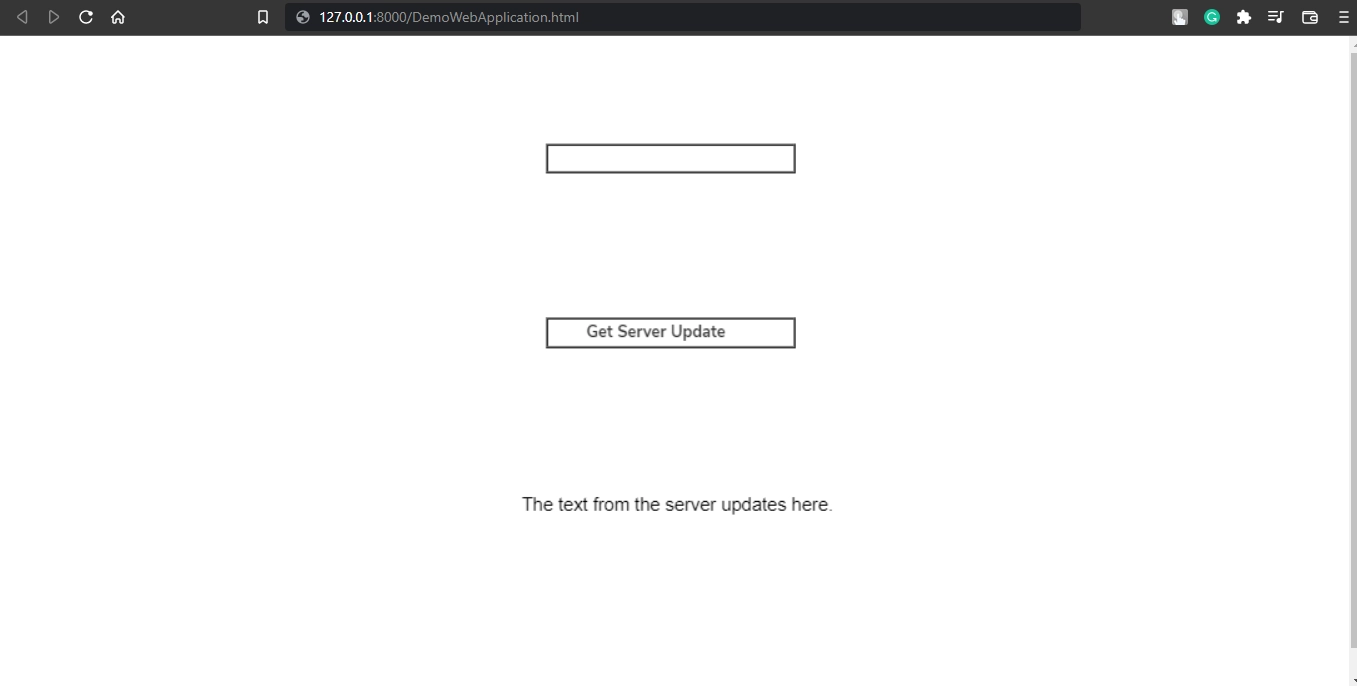
The Webpage.
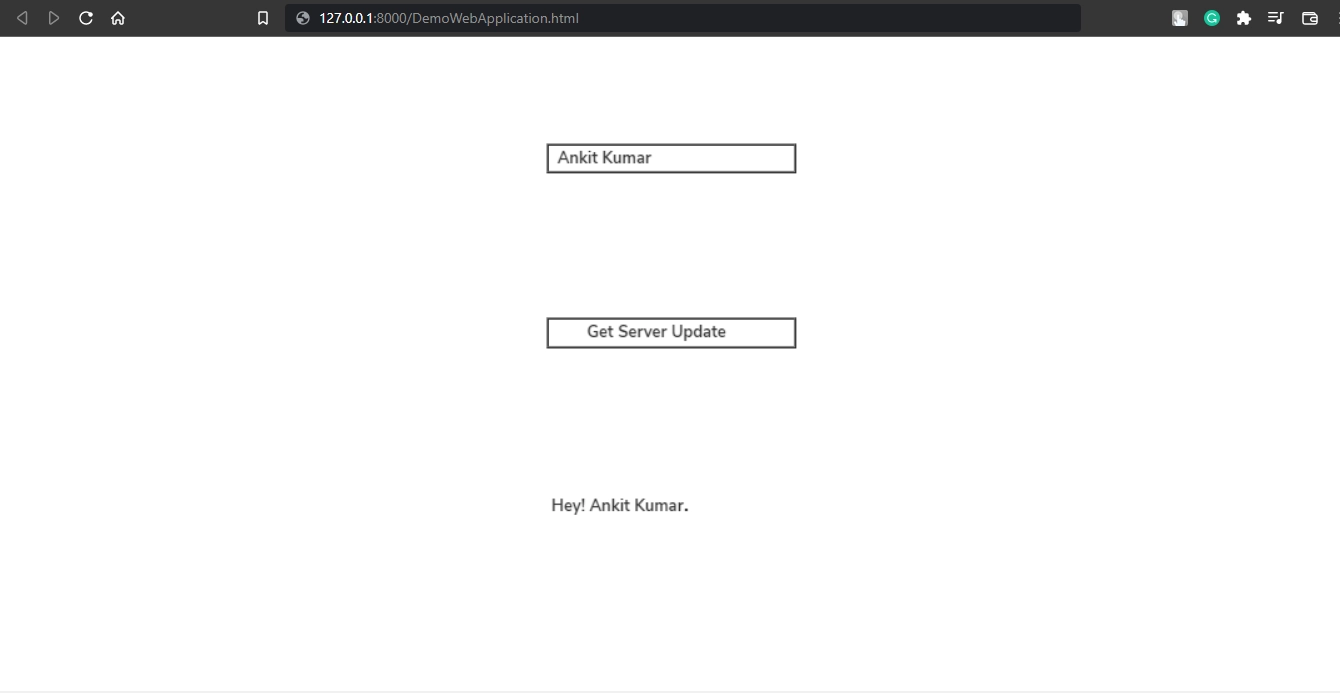
After entering input, we get
It's time for some frequently asked questions.
Frequently Asked Questions
Why is GWT used?
The GWT compiler optimises the resulting code, removes dead code, and even obfuscates the JavaScript.
What is the GWT's purpose?
A GWT development toolkit is used to create and improve complex browser-based apps. Its objective is to make it possible to construct high-performance web apps productively without the developer having to be an expert in JavaScript, XMLHttpRequest, or browser quirks.
What is RPC?
GWT RPC aka. Remote Procedure Call facilitates client-server communication. RPC is the process of calling a method from a class; the only distinction is that in this procedure, the class is placed on a server rather than being a component of the client application.
List components of RPC Communication.
Three components of RPC communication are 1. Server-side Servlet 2. Client Code 3. Java data objects.
What characteristics does GWT have?
A development toolkit for building RICH Internet Applications is called Google Web Toolkit (GWT). Developers have the opportunity to create client-side Java applications using GWT. GWT applications are cross-browser compatible. For each browser, GWT generates javascript code automatically.
Let us conclude the article.
Conclusion
In this article, we've extensively discussed RPC Communication with its components. Then we have seen its architecture. Then we created the Service along with its implementation, and at last, some frequently asked questions related to the topic.









 7+ registered

