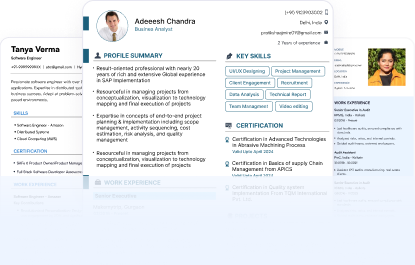
Browse Our Free Accounting Resume Templates

Find accounting resume templates for different roles and experience levels. Choose a design that fits your profile. Customize it and download your resume in PDF or DOC format.

What Is an Accounting Resume Template?

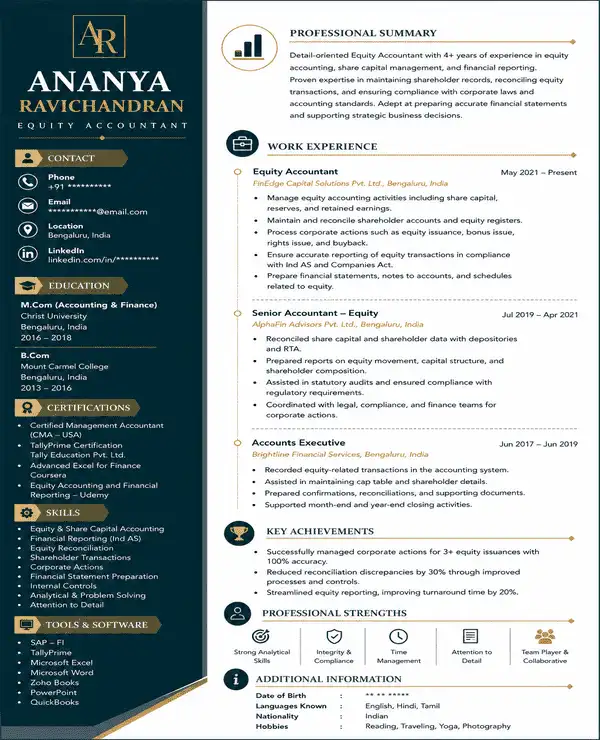
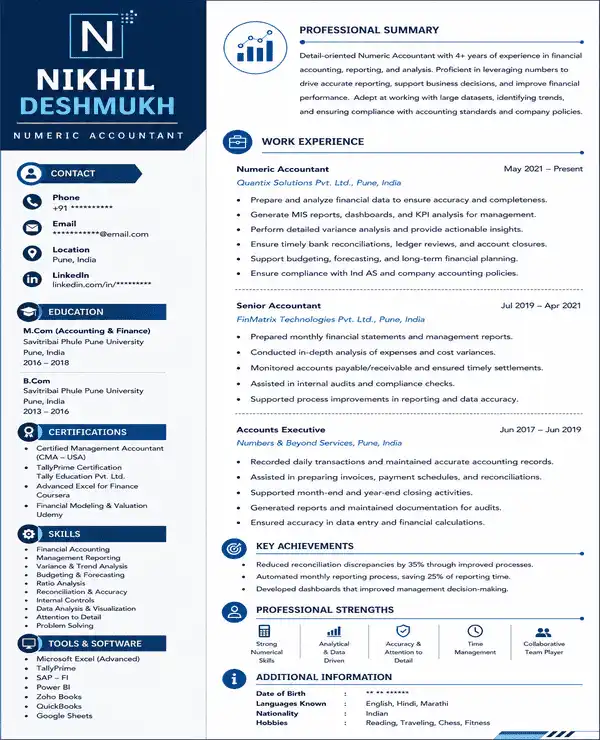
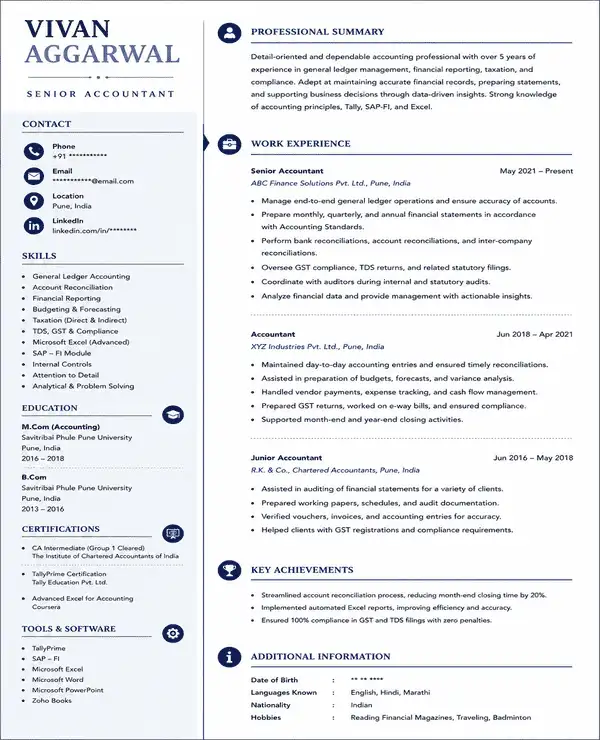
An accounting resume template is a ready-made layout designed for accounting and finance roles. It follows a clear accounting resume format and provides space for the sections employers expect to see. You can add your information and customize the template to create your final resume.

Here are the key features of an accounting resume template:

  • Professional layout and design
  • Easy-to-scan content hierarchy
  • More space for work experience
  • Sections for accounting tools and software
  • Space for numbers and measurable results
  • Professional fonts and typography
  • Use of neutral colour palette
  • Simple formatting for ATS readability

Are Your Accounting Resume Templates ATS-Friendly?

Yes. Our accounting resume templates are built to keep important career details easy for ATS software to identify and organize.

The layouts avoid unnecessary design elements that can interfere with resume parsing. They also give clear visibility to information commonly searched for in accounting roles such as:

  • Accounting job titles
  • Work experience and employment dates
  • Accounting tools and software names
  • Relevant accounting keywords

The templates also use simple text formatting to support better ATS readability.

What Should an Accounting Resume Format Include?

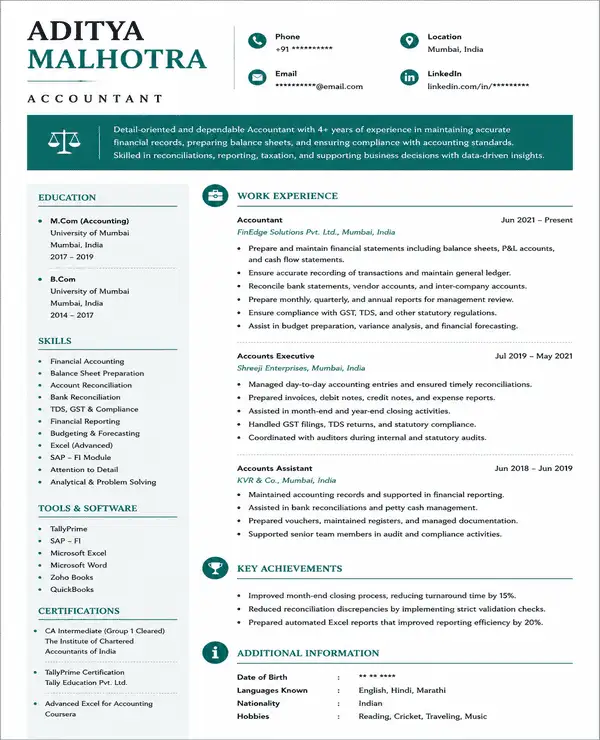
An accounting resume format should make your experience and technical knowledge easy to review. The most important sections should show the type of accounting work you have handled and the tools you know.

1. Header and Contact Information

  • Full Name: Place your name clearly at the top of the resume.
  • Phone Number and Email: Use an active phone number and a professional email address.
  • Location: Add your current city or region.
  • LinkedIn Profile: Include your profile link if it is updated and relevant.

2. Professional Summary

  • Write 2 to 4 lines about your accounting experience.
  • Mention your main area of work such as taxation or financial reporting.
  • Add relevant tools or certifications if they are important for the target role.
  • Adjust the summary for each accounting job you apply for.

3. Accounting Skills and Software

  • Technical Skills: Financial reporting, bank reconciliation, AP/AR, bookkeeping, budgeting and taxation.
  • Software Skills: Mention tools such as Tally, Excel, SAP or other ERP systems you can use.
  • Compliance Knowledge: GST, TDS and other role-specific accounting requirements.
  • Soft Skills: Add soft skills like time management and communication.

4. Professional Experience

  • List your latest accounting role first and continue with earlier roles.
  • Include your job title and company name along with employment dates.
  • Focus on accounting work you actually handled instead of listing broad duties.
  • Use numbers where possible to show transaction volume or improvements in accuracy.

5. Education

  • Add your degree or accounting qualification.
  • Mention the institution and year of completion.
  • Freshers can include relevant coursework or academic projects.
  • Add academic achievements only when they strengthen the application.

6. Certifications

  • Include relevant credentials such as CA, CMA or ACCA.
  • Add the issuing organization if relevant.
  • Mention in-progress qualifications if they relate to the job.
  • Keep only certifications that support the accounting role you are targeting.

What Is the Best Accountant Resume Format?

The reverse-chronological format works well for most accountants. It places your latest role first and makes your career progression easy to follow. It also gives recruiters quick access to your recent accounting work and achievements.

Recommended Section Order

For an experienced accountant, a clear section order is:

  1. Contact Details
  2. Professional Summary
  3. Work Experience
  4. Accounting Skills and Software
  5. Education
  6. Certifications

Freshers can move education higher on the page. Internships and accounting projects can also appear before full-time experience when they are more relevant.

Which Resume Format Should an Accountant Use?

  • Reverse-Chronological: Best for accountants with relevant work experience. It shows the latest role first and makes career growth easy to see.
  • Combination: Useful when both technical skills and work experience need equal attention.
  • Functional: May suit career changers or candidates with limited relevant work history because it places more focus on skills.

How Long Should an Accountant Resume Be?

A one-page resume usually works well for freshers and early-career accountants. Professionals with several years of relevant experience may need two pages. Remove older or unrelated details that do not add value.

What Makes a Good Accounting Resume Layout?

A good accounting resume layout should make detailed information easy to follow. Recruiters should be able to find your recent experience and key results without reading through dense blocks of text.

Strong resume for accounting jobs should:

  • Give the most space to recent accounting experience
  • Keep figures and measurable results easy to notice
  • Use short bullet points instead of long paragraphs
  • Separate technical skills from general professional skills
  • Use professional fonts like Calibri and Garamond
  • Keep dates and job titles aligned consistently
  • Use the same format for amounts and percentages
  • Leave enough white space between sections
  • Use headings that clearly separate each part of the resume
  • Avoid unnecessary design elements that make financial information harder to scan

Which Accounting Resume Template Should You Choose?

Choose a template based on the type of accounting work you do and the information you need to give more space to.

Profile / NeedRecommended TemplateWhy It Fits
General accountingLedgerClear everyday accounting layout
Corporate accountingBalanceStrong reporting focus
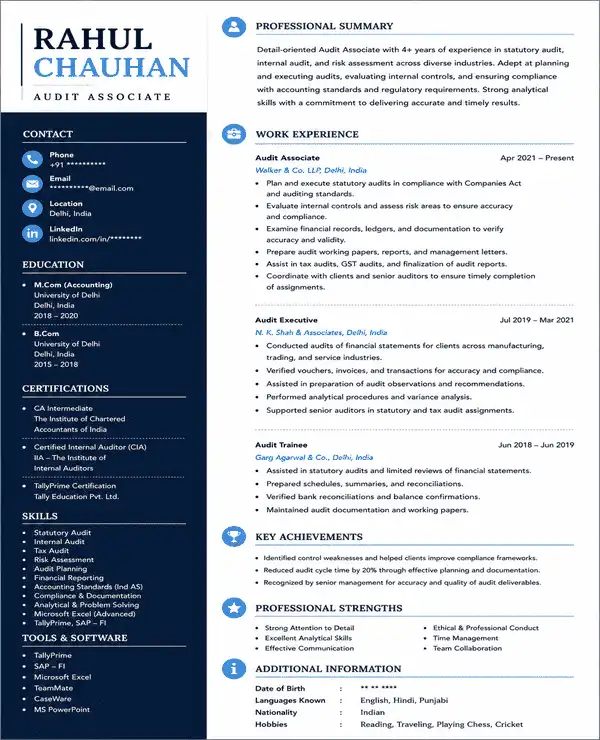
Audit and complianceAuditBuilt for audit profiles
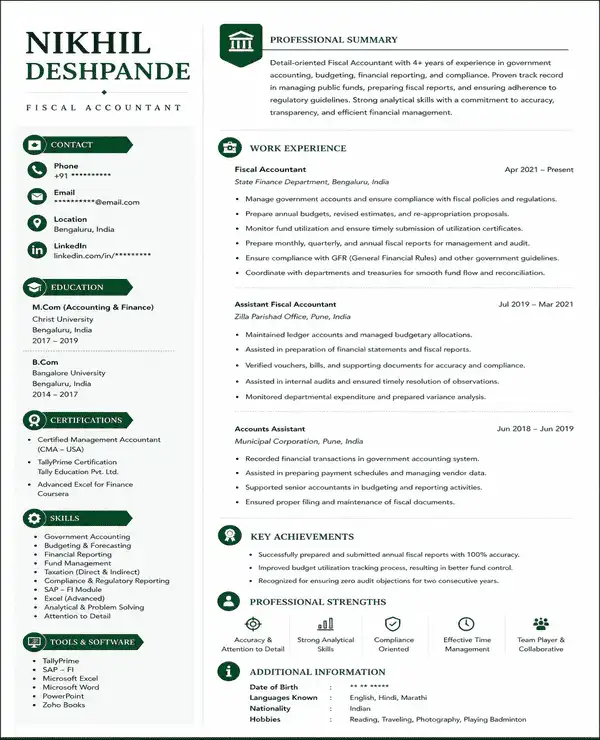
Budgeting or public financeFiscalSuits budgeting roles
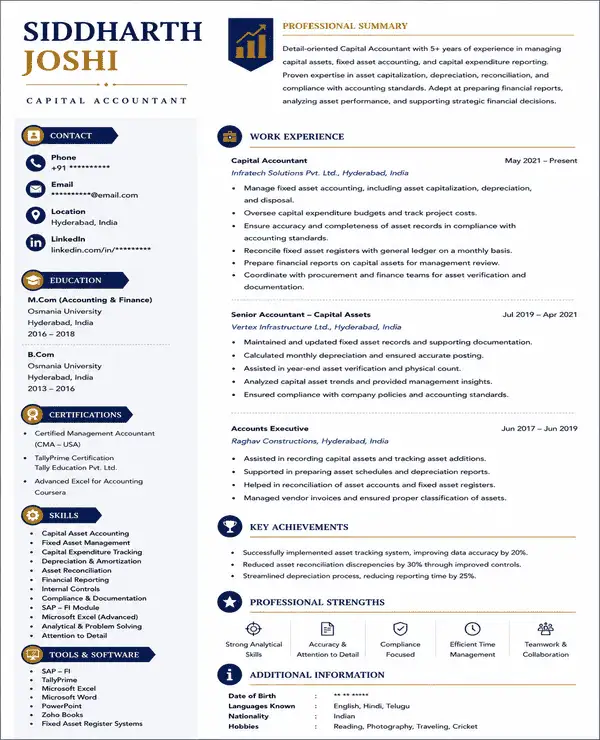
Senior accounting rolesCapitalMore space for experience
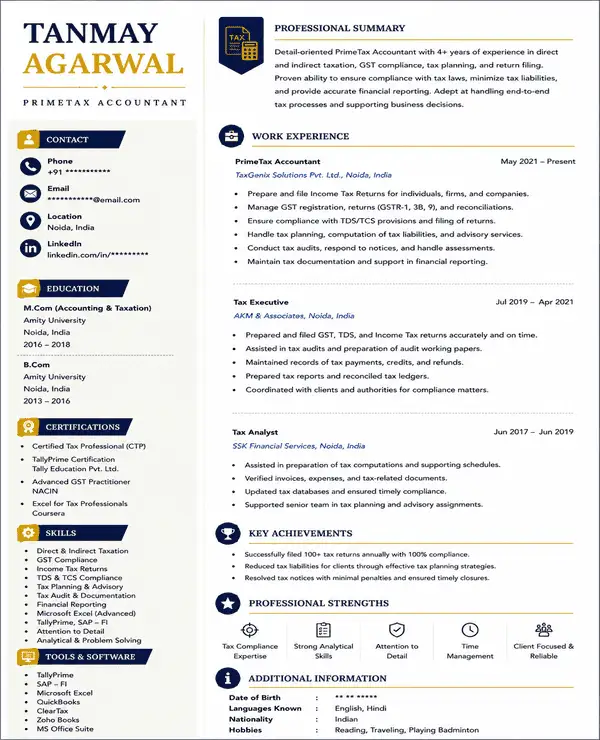
Tax and GST rolesPrimeTaxTax-focused structure
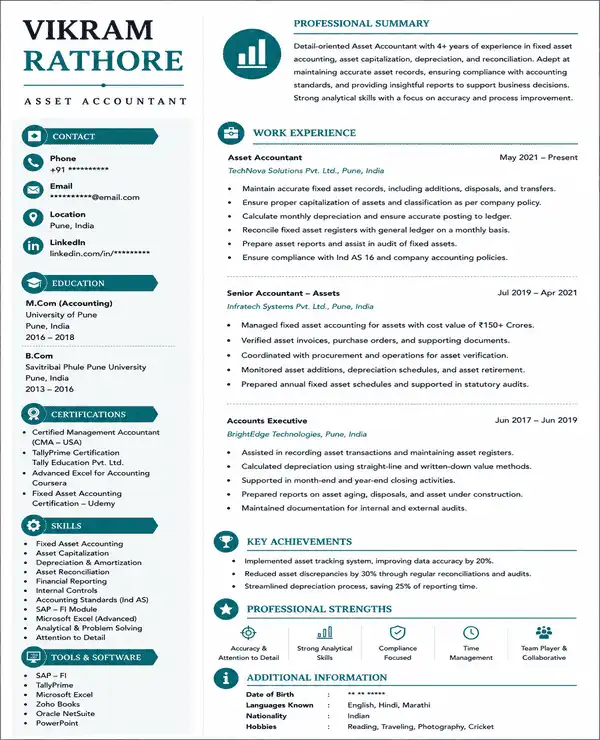
Fixed-asset accountingAssetSuits asset reporting
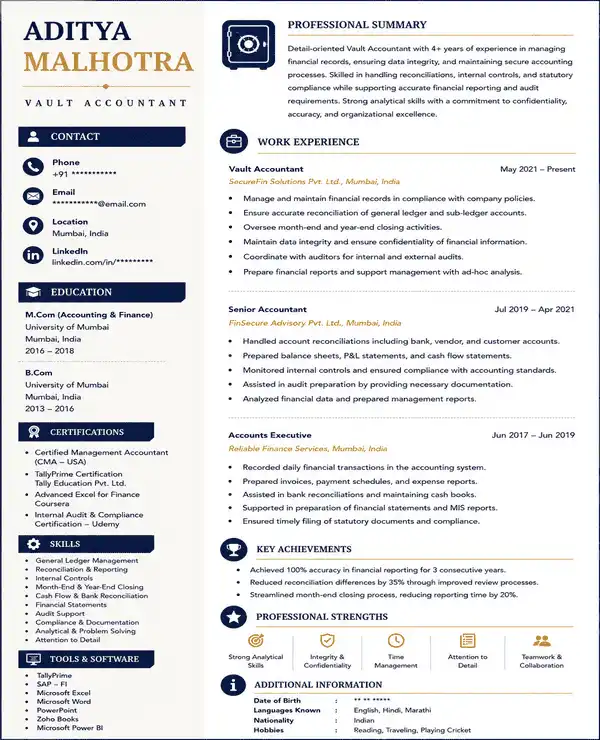
Compliance-heavy rolesVaultClear compliance focus
Equity or capital reportingEquitySuits capital reporting
Reporting and analytical rolesNumericData-based layout

Benefits of Using Accounting Resume Templates

Accounting resume templates can save time and make detailed financial experience easier to present. They also help keep important information organized across the page.

  • Saves Time: Start with a ready-made accounting layout instead of building the resume from scratch.
  • Supports ATS Readability: Use simple layouts that help important career details stay easy to identify.
  • Free Templates: Choose from available accounting resume templates without paying for the design.
  • Naukri Profile Integration: Use information from your existing Naukri profile while creating your resume.
  • Flexible Design Options: Adjust fonts and colour choices to suit your profile.
  • Works Across Career Levels: Use the templates for fresher as well as experienced accounting profiles.
  • Ready for Download: Save your completed resume for accounting jobs in PDF or DOC format.

How to Customize and Download an Accounting Resume Template

Creating a resume for accounting jobs is simple. Choose a template that fits your profile and update it with your own information using Naukri’s resume builder.

  1. Choose an Accounting Resume Template: Browse the available templates and select one that suits your accounting role.
  2. Add Your Resume Details: Enter your personal and professional information. You can also import details from your Naukri profile.
  3. Improve and Customize the Content: Use AI-powered writing suggestions to refine your resume sections. Add or rearrange sections based on your profile.
  4. Review Your Resume: Check your content and make sure dates and accounting terms are accurate. Adjust the font and theme if needed.
  5. Download Your Resume: Download your completed resume in the available PDF or DOC format.

Tips for Creating an Effective Accounting Resume

Follow these tips when using our accounting resume templates to create your final resume:

  • Match the Job Language: Use accounting terms from the job description when they reflect your actual experience.
  • Keep Numbers Accurate: Double-check amounts, percentages, dates and transaction figures.
  • Protect Confidential Data: Do not include sensitive client names or internal financial information.
  • Use Consistent Terminology: Write accounting terms and abbreviations the same way throughout the resume.
  • Keep Tenses Consistent: Use present tense for your current role and past tense for previous roles.
  • Check Job Titles Carefully: Make sure titles and employment dates match your records.
  • Use Clear File Names: Save the resume with a professional name such as Mohan_Bajaj_Accountant_Resume.pdf.
  • Proofread Before Applying: Check spelling and formatting one final time before submission.

Frequently Asked Questions

Start with a CV for accountant fresher that puts education and accounting skills near the top. Add internships and projects next. Include software knowledge such as Tally or Excel. Keep the format simple and focused on the role you are applying for.
Yes. You can choose a fresher accountant resume format in Word or DOC format if you want to edit the content later. You can also download the finished resume as a PDF.
Yes. An accountant resume sample can help you understand how to organize sections and present accounting experience. Use samples for structure and ideas. Do not copy the content word for word.
The best fresher resume format for accountant roles usually places education and accounting skills before full-time work experience. A combination or hybrid format works well.
Yes. You can use accounting resume templates to create an accounting CV. Our resume builder lets you add or remove sections based on your experience and application needs.
Choose an accountant CV template that matches your experience level. Use our AI-powered writing to add your section details. Update the skills and work history for the target job. Add or remove sections where needed.
You can find free accountant CV samples on Naukri along with editable accounting resume templates. Use them to compare layouts and decide how to present your own accounting experience.

Start Building Your Accounting Resume

Choose an accounting resume template that fits your experience and create a professional resume for your next accounting role.