


 Try this free template
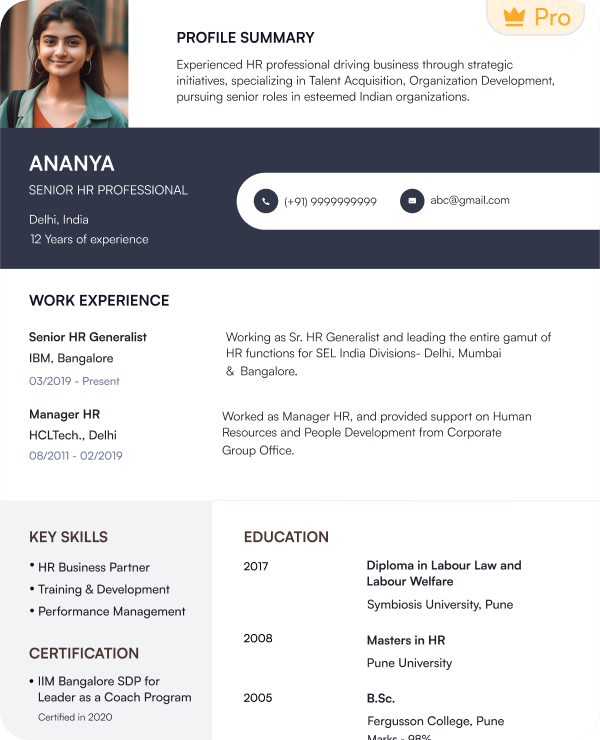
Educator Plus
Professional design for experienced teachers
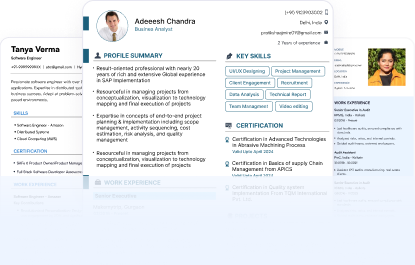
Find free teacher resume templates for different roles and career stages. Choose a layout that gives your skills and experience stronger visibility.
Try this free templateTry this free templateTry this free templateTry this free templateTry this free templateTry this free templateTry this free templateTry this free templateTry this free templateA teacher resume template gives educators a ready-made structure for presenting their classroom experience and professional background. You can update each section with your own details and customize the resume to the role you want.
Here are the key features of teacher resume templates:
With Naukri’s resume builder, you can easily customize any of our templates and use them as teacher CV templates for more detailed applications.
Here are professional teacher resume examples to help you understand what to highlight at each stage of your career.
Here is a teacher resume example for freshers. Focus on education and classroom training. Add internships and relevant teaching skills.
Use this teacher resume sample if you have 3 to 5 years of experience. Focus on teaching experience and classroom results.
Follow this teacher resume example if you have more than 5 years of experience. Focus on leadership and long-term teaching impact
Teacher resume examples by role can help you see how to highlight the experience and skills that matter for a specific teaching position.
These teacher resume samples show how teaching experience, subjects and qualifications are presented for specific roles:
Use this teacher CV sample to see how to present classroom support experience and day-to-day teaching responsibilities clearly.
Use this teacher CV example to see how to present special education experience and student support responsibilities.
Yes. Naukri’s teacher resume templates are designed to keep important details easy for applicant tracking systems to read. The layouts use a clear format so your experience and qualifications stay easy to identify.
To make your teacher resume more ATS-friendly:
Naukri’s teacher resume templates follow a simple structure that helps both recruiters and ATS software scan your profile more easily.
Each section in your teacher resume should help recruiters understand what you teach and the value you bring to the classroom.
Choose skills that match the role you are targeting.
Add these only when they strengthen your application.
You can follow the same section order in a teacher CV format and add more detail when the application requires a longer academic profile.
A teacher resume format should put your strongest information near the top. The right order depends on how much teaching experience you have.
This order keeps recent teaching experience and career progress easy to review.
This teacher CV format works well for freshers because it gives more visibility to education and practical classroom exposure.
The reverse-chronological is the best teacher resume format because it is ATS-friendly and shows clear career progression. However, you can also use other formats based on your skill set and experience level.
This teacher resume format puts your work experience on top. It lists your latest teaching role first and then moves back through your work history.
It works well for:
A combination format gives space to both skills and work experience. It works well when your abilities need as much attention as your employment history.
It can suit:
A functional format gives more attention to skills than employment history. Use this format carefully because recruiters may still want to see a clear timeline of your previous roles.
It is best for:
A teacher resume should be easy to scan and simple to update. Use these formatting guidelines as a starting point:
| Element | Recommended Format |
|---|---|
| Layout | Single-column layout |
| Font | Arial, Calibri, Georgia or Times New Roman |
| Body Text | 10 to 12 pt |
| Section Headings | Bold with 14 to 16 pt |
| Margins | 0.5 to 1 inch on each side |
| Line Spacing | Around 1.0 to 1.15 |
| Section Titles | Clear labels such as “Experience” and “Skills” |
| Colours | 1 or 2 professional colours |
| Photo | Add a professional photo only when it is requested |
| Bullet Style | Round bullet (•) |
| Dates | Follow one style such as March 2026 – June 2026 |
| Download Format | PDF or DOCX |
| Length | 1 page for freshers and up to 2 pages for experienced |
| Avoid | Decorative fonts, complex tables, text boxes, and icons |
Choose a teacher resume template based on your experience and the type of teaching role you are targeting.
| Profile / Need | New Template Name | Why It Fits |
|---|---|---|
| Fresher teacher | Classroom Start | Puts education and training first |
| Primary school teacher | Primary Path | Highlights classroom and child-focused experience |
| High school teacher | Subject Pro | Gives subject expertise more visibility |
| Assistant teacher | Teaching Assist | Balances skills with classroom experience |
| Experienced teacher | Educator Plus | Gives more space to teaching history |
| Senior teacher | Academic Lead | Highlights leadership and mentoring |
| ATS-focused applications | ATS Scholar | Uses a simple ATS-friendly structure |
| Creative teaching roles | Creative Classroom | Adds personality without losing clarity |
| Long teaching career | Career Educator | Organizes detailed experience clearly |
Add skills that you actually have and can support with your experience. It is best to match relevant skills from the job description because this can help make your resume more ATS-friendly. Instead of listing skills randomly in bullet points, divide them into four clear categories:
| Instructional Skills | Classroom Management |
|---|---|
| Lesson planning | Student engagement |
| Curriculum development | Behaviour management |
| Differentiated instruction | Classroom routines |
| Student assessment | Conflict resolution |
| Subject expertise | Inclusive learning |
| Project-based learning | Student support |
| Technology Skills | Interpersonal Skills |
|---|---|
| Google Classroom | Parent communication |
| Learning management systems | Collaboration |
| Digital assessment tools | Mentoring |
| Presentation platforms | Teamwork |
| Educational technology | Student counselling |
| Virtual classroom tools | Staff coordination |
The best keywords for a teacher resume usually come from the job description. Look for terms that match your actual experience and use them naturally throughout your resume.
Focus on keywords related to:
Add relevant keywords to your professional summary and skills section. You can also use them in your teaching experience when they describe work you have actually done.
Avoid adding keywords only to improve ATS matching. Every term should accurately reflect your skills and experience.
Do not send the same resume for every teaching role. Make small changes so your resume matches the school and position you are applying for.
You can use Naukri’s AI-powered resume builder to update different sections without creating a new resume from scratch.
Our teacher resume templates make it easier to build a professional resume without spending time on formatting or layout.
Naukri’s resume builder helps you create a teacher resume without starting from a blank page. Follow these steps to build and download your resume:
Follow these tips to create a strong teacher resume for your next application:
I wanted my resume to clearly show my teaching experience, classroom responsibilities, and certifications. The template helped me organize everything without making the resume feel crowded.

My previous resume had all the right information, but the structure was not very clear. This template made it easier to present my subjects, experience, and achievements in a more professional way.
I needed a resume that could highlight both my teaching background and the activities I handle beyond the classroom. The layout gave enough space for both without making the resume too long.
I have several years of teaching experience across different classes, so presenting it properly was important. The template helped me keep my career progression and key responsibilities easy to understand.
Yes. Naukri offers free teacher resume templates that you can customize and download in PDF or DOC format.
A reverse-chronological teacher CV format works well for most experienced teachers because it shows the latest teaching experience first. Freshers or career changers can use a combination format.
You can find teacher CV samples on Naukri to understand how teaching experience and skills can be presented.
Yes. Teacher CV templates can be customized for primary teachers, high school teachers, assistant teachers, freshers and experienced educators.
A one-page teacher resume format usually works well for freshers. Experienced teachers can use up to two pages when they have relevant experience or achievements to include.
Start with your skills and teaching qualifications. Then add internships or classroom training. A teacher resume sample for freshers can help you organize these sections clearly.
Yes. Use a teacher resume sample to understand structure, section order and presentation. Customize the content based on your own experience instead of copying it directly.
Browse our complete library of professional templates
Pick a template and create a professional teacher resume that helps you apply with confidence.
