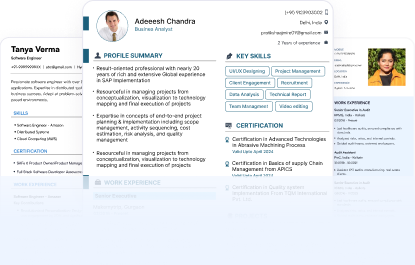
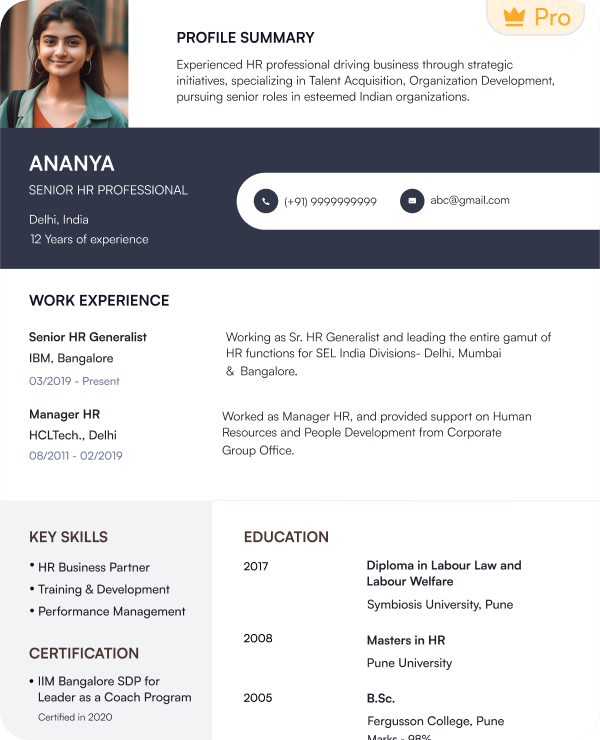
Google Docs - Professional Templates

Win over recruiters with our professionally designed resume templates templates

What Are Google Docs Resume Templates?

What Are Google Docs Resume Templates?
Google Docs Resume Templates are ready-made layouts that can be found in Google Docs, and they assist job hunters in creating professionally organized resumes with ease and time-saving. These templates have the necessary sections that are initially set as the contact information, professional summary, work experience, skills, education, certifications, or achievements, so that the entire vital information is clearly explained and displayed in an orderly manner.
With Google Docs resume templates, an individual does not have to create resumes manually, which saves time and maintains the same formatting in conformity with the current hiring principles and expectations of a recruiter.

Benefits of Using Google Docs Resume Templates

Benefits of Using Google Docs Resume Templates
The Benefits of using the Google Docs Resume format are:
  1. Easy to Access and Use
Free with a Google account.
There is no installation of software needed.
Available on desktop, mobile, or tablet.
  1. Professional and ATS-Friendly Layout
Applicant Tracking Systems Compatible.
Enhances the readability and scanning of the resumes.
  1. Fully Customizable
Switch fonts, colours, and sections without difficulty.
Insert or delete information according to the job needs.
Change templates as per the industry.
  1. Shared and Exportable Easily
Download as a PDF or Word file
Post through email or link.
Applications and portals Usage.

Types of Google Docs CV Templates

  1. Modern Templates: Ideal to use in business, technology, and creative professionals with characteristic clear fonts, organized design, and contemporary design features.
  2. Basic Templates: Given that they focus on skills, knowledge, and understanding, they are perfect for new recruits and entry-level applicants.
  3. Professional Templates: Ideal for professionals and managers, bringing out work experience, successes, and leadership.
  4. Creative Templates: Appropriate for designers, marketers, and creative people, uses a stylish format and is professional at the same time.

How to Use Google Docs Resume Templates

Open Google Docs and start a new document by logging in with your Google account in your web browser. Next, click “Template Gallery” to view the resume templates.
When choosing a template, consider your experience and your goals in choosing the best template for your needs.
Add your personal, educational, and work details on the template: Add your information to the template.
Personalize: Customize fonts, colors, parts, and so on to suit your job requirements and needs.
Add a PDF or Word document: You can download your PDF or Word resume and save it in either a PDF or Word file to apply and share.

When to Use a Google Docs Resume Format

A Google Docs Resume Format is the perfect choice when one requires a fast and professional resume. It enables you to make a professional resume within minutes by using built-in templates.
ATS-friendly formatting: These templates are developed on a plain and organized format that is compatible with the applicant tracking systems.
Simple editing and updating: You can make a quick update, edit or customize your resume to suit various job applications at any time.
Free resume builder software: Google Docs offers free templates, so one does not need to use expensive design software.
Cloud access and sharing: Your resume is stored on the web, which means that you can easily access, download, and share it across devices.

Best Practices for Using a Google Docs CV Format

To maximize effectiveness:
Professional fonts such as Arial, Calibri, or Helvetica should be used.
Keep resume length to 1–2 pages
Be brief in your answer, and avoid long paragraphs.
Add quantifiable accomplishments.
Prepare a job-specific resume.
The practices enhance the recruiter interaction and interview opportunities.

Who Should Use Google Docs CV Templates

These templates can be used in:
The students and fresh graduates: they help in making education, skills, and projects transparent in the event that work experience is unavailable.
Applicants for entry-level jobs: It presents the professional presentation framework to display the relevant skills, internships, and early career experience.
Experienced professionals: They focus on extensive experience, achievement, and promotion of their career in a well-organized fashion.
Career changers: These are the tools that help in reminding you of the skills you possess and the experience you have in the alternate field, in case of changing career.
Job seekers of remote work: The tools allow you to make, revise, and post resumes over the internet.

Frequently Asked Questions

Yes, you can share it via email or a Google Docs link.
Yes, you can download resumes in PDF, Word, or other formats.
Yes, you can copy templates and modify them for different job applications.
Yes, you can make complete changes to fonts, sections, colors, and content.

Resume Examples by Job Title

Get inspired by real resume templates resume samples written for your industry

Start Building Your Google Docs Resume Now

Join 4 million+ professionals who built their winning google docs resume with Naukri360