


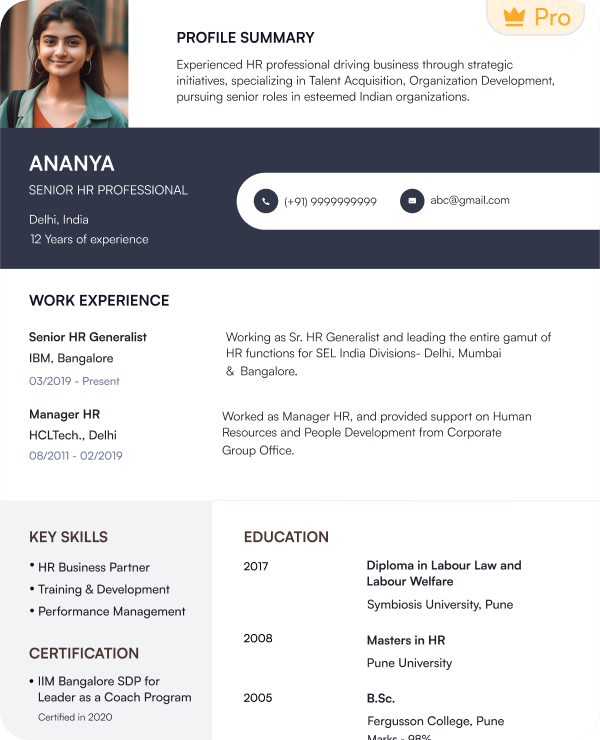
 Try this free template
Tech Lead
Built for senior engineers and technical leads
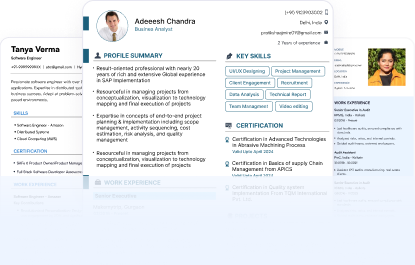
Find professional tech resume templates designed for different technical roles and career levels. Every template is tested for ATS readability.
Try this free templateTry this free templateTry this free templateTry this free templateTry this free templateTry this free templateTry this free templateTry this free templateTry this free templateTech resume templates are pre-formatted resume layouts created for professionals in software development and other technology fields. They provide dedicated space for the technical details recruiters look for in tech candidates.
Key features of tech resume templates include:
Tech CV templates include additional sections for detailed projects and research work. Naukri’s AI resume builder lets you add extra sections based on your profile and application needs.
Different tech roles need different resume layouts. Choose the right template based on the information you need to give the most space.
Choose a tech resume template that matches your tech role and experience level.
| Profile | Recommended Template | Why It Fits |
|---|---|---|
| Tech Fresher | Launch Code | Puts skills and projects first |
| Software Developer | Code Line | Gives coding experience clear visibility |
| IT Professional | Systems Pro | Suits infrastructure and administration roles |
| Full-Stack Developer | Full Stack | Balances frontend and backend experience |
| Frontend / UI Developer | Frontend Edge | Highlights frameworks and interface work |
| Data Analyst / Data Scientist | Data Grid | Gives tools and analytical projects more space |
| DevOps / Cloud Engineer | Cloud Ops | Suits platform and deployment experience |
| IT Support / Network Professional | Support Core | Keeps troubleshooting and systems work easy to scan |
| Senior Engineer / Tech Lead | Tech Lead | Gives more space to leadership and technical ownership |
Yes. Naukri’s tech resume templates are built to support ATS parsing without adding unnecessary design elements that can interfere with resume scanning.
All our tech resume templates use:
An ATS-friendly template is only one part of the process. Your resume content also needs to match the job. Use accurate technical job titles and relevant keywords from the job description to improve ATS matching.
A tech resume should make your technical background easy to review. The section order should help recruiters see your skills and experience without searching through the page.
Keep this section simple and on top of your resume in text form.
GitHub is especially useful for developers and engineers who want to show code or project work.
Use this section to introduce your technical background in a few lines. It comes after the header.
Do not place every tool in one long list. Group the skills by category for quick review.
Only include tools you have actually used.
Your experience section should explain what you worked on and how you contributed. Keep it in reverse-chronological order, starting with the most recent experience.
Projects can show practical ability that job titles alone may not explain. This section is especially useful for freshers and candidates with limited work experience.
Add your relevant academic background.
Freshers can also add technical coursework when it supports the role.
Use this section for credentials that support your technical profile.
Add the issuing organization and completion year when relevant.
Add extra sections only when they give useful technical proof.
A tech CV format can include these sections in greater detail when you need to present research work, technical projects or a longer career history.
Indian recruiters often prefer the reverse-chronological format for tech roles because it presents work experience in a clear order. You can also choose another format based on your experience and career situation.
This tech resume format gives the most space to work experience and career growth. It works well when your latest experience matches the tech job you are targeting.
A functional format places technical skills before employment history. Use it only when your work timeline is not the main part of your profile.
This tech resume format brings technical skills and work experience together near the top.
A tech CV format can follow any of these structures. Choose the one that gives the right amount of space to your experience, technical skills and projects.
Use these tech resume samples to see how the layout and section order should change as your experience grows.
Choose skills that match the role you are applying for. Group them by category so recruiters can scan them quickly.
| Programming Languages | Frameworks & Libraries | Cloud & DevOps |
|---|---|---|
| Python | React | AWS |
| Java | Angular | Azure |
| JavaScript | Node.js | Google Cloud |
| C++ | Django | Docker |
| C# | Spring | Kubernetes |
| Go | .NET | Jenkins |
| PHP | TensorFlow | Terraform |
| Databases & Data Tools | Technical Skills | Soft Skills |
|---|---|---|
| SQL | System design | Problem-solving |
| PostgreSQL | Debugging | Communication |
| MySQL | API development | Collaboration |
| MongoDB | Testing | Leadership |
| Tableau | Automation | Adaptability |
| Power BI | Troubleshooting | Time management |
| Excel | CI/CD | Decision-making |
A tech resume sample or tech CV example can show how these skills fit within the resume. Add only the tools and skills you have actually used and that match the job description.
Technical achievements show the result of your work instead of only listing tasks. Add numbers when you can prove improvements in speed, reliability, cost or scale.
Useful metrics include:
Instead of: Developed and maintained web applications.
Write: Built and optimized three React applications that reduced average page load time by 28%.
Keep the layout clean and easy to scan.
| Element | Recommended Format |
|---|---|
| Length | 1 page for freshers. Up to 2 pages for experienced professionals |
| Font | Arial, Calibri, Roboto or Helvetica |
| Body Text | 10 to 12 pt |
| Headings | 13 to 16 pt |
| Margins | 0.5 to 1 inch |
| Technical Skills | Group tools by category |
| Links | Keep LinkedIn, GitHub and portfolio links clickable |
| Design | Avoid heavy graphics and complex text boxes |
| File Format | PDF unless DOC or DOCX is requested |
A tech CV format can use the same guidelines with extra space for projects and research.
Adjust your tech resume template for every role you apply to.
A tech resume sample can help you see how the same profile changes for different technical roles.
You can create a professional tech resume in just 15 minutes with Naukri’s free templates and AI-powered resume builder.
Naukri’s tech resume templates help you create and update your resume faster for different tech roles.
Follow these tips to create a clear and relevant tech resume for your next application.
I wanted a resume that could clearly show my technical skills, projects, and work experience without looking too dense. The tech template helped me structure everything in a much cleaner way.

My profile includes tools, certifications, and project work, so I needed a format that could present all of it clearly. This template made the information easier to scan and organize.
I had experience across cloud platforms, automation tools, and multiple projects. The template gave me enough space to highlight the technical details without making the resume feel overloaded.
I wanted my resume to focus more on my skills, projects, and technologies instead of unnecessary design elements. The layout helped me keep everything professional and easy to read.
A combination or skills-first tech resume format works well for fresh graduates. Place technical skills, academic projects, internships, certifications and relevant coursework before work experience.
Yes, professional tech CV templates are ATS-friendly. They are designed with standard formatting and layout, which helps them get past applicant tracking systems.
A tech resume should be one to two pages, depending on your experience and technical skills.
Yes. Naukri offers free tech CV templates for different technical roles and experience levels. You can customize the layout with Naukri’s resume builder and download your CV in PDF or DOC format.
You can find free tech CV examples on Naukri for different technical roles and experience levels. Review the layout and section order before creating your own CV.
Yes. A tech CV sample can help you understand how to organize skills, projects and work experience. Replace the sample content with your own information.
Yes, if your GitHub profile contains relevant projects or code samples. Add the link near your contact details or project section.
No. Include only the programming languages that match the job and that you can use confidently.
Use numbers to show results such as reduced load time, higher uptime, fewer bugs, faster deployments, lower costs or improved processing speed.
Focus on technical skills, academic projects, internships, certifications and GitHub work. Choose a tech resume format that gives these sections more visibility than work experience.
Browse our complete library of professional templates
Choose a template built for your role. Add your career details and customize the resume with Naukri’s AI-powered tools.
