


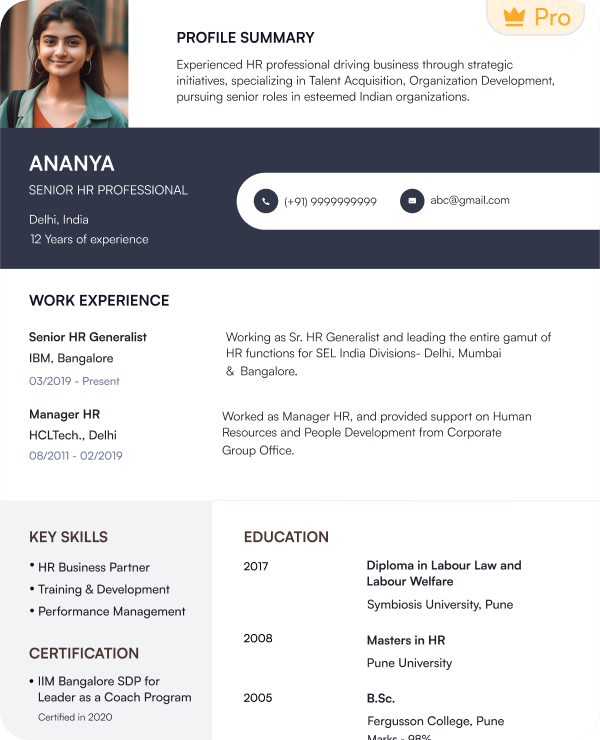
 Try this free template
Launch
Simple one-column layout for first-time applicants
Choose from internship resume templates for different internship roles and industries. Each layout supports ATS compatibility and current recruitment requirements.
Try this free templateTry this free templateTry this free templateTry this free templateTry this free templateTry this free templateTry this free templateTry this free templateTry this free templateTry this free templateAn internship resume template is a ready-made professional layout that helps students and recent graduates create a resume for summer and other internship opportunities. It is designed for candidates with limited work experience and gives greater visibility to educational qualifications and practical skills.
Key features of internship resume templates include:
Internship CV templates serve the same purpose. The terms internship resume and internship CV are often used interchangeably in India.
Use an internship resume template when you are applying for early-career opportunities and do not have a long work history to present.
You can use an internship resume template when:
| Profile | Recommended Template | Why It Fits |
|---|---|---|
| High school student | Launch | Simple layout for first applications |
| College student | Campus Edge | Balances academics and early experience |
| Engineering or IT intern | Techline | Highlights technical skills and projects |
| Business or finance intern | Corporate Start | Professional layout for formal roles |
| Marketing intern | Momentum | Modern design for digital and campaign skills |
| Project-heavy applicant | Project Grid | Gives projects more space |
| Design or media student | Creative Pulse | Visual layout for creative roles |
| Research student | Research Track | Suits academic and research experience |
| ATS-heavy applications | ATS Intern | Simple structure for online applications |
| Summer internship applicant | Summer Ready | Fresh layout for seasonal roles |
Here are professional internship resume examples for different student profiles to help you understand how to structure and present your own resume.
Yes. Naukri’s internship resume templates use simple layouts that help applicant tracking systems read key details correctly. They also keep the resume easy for recruiters to scan.
To improve ATS compatibility:
Use Naukri’s ATS Resume Checker before applying to identify any formatting or content issues in your internship resume.
The best internship resume format depends on how much relevant experience you already have. Students with previous internships can lead with experience. Applicants with little or no work history may need to give more space to skills and projects.
A reverse-chronological format lists your most recent experience first. It works well if you already have internships or part-time work to show.
A combination format gives similar space to skills and practical experience.
A functional format places skills ahead of work history. It can work for applicants who have little or no formal experience.
| Candidate Profile | Recommended Format |
|---|---|
| Previous internship experience | Reverse-chronological |
| Strong projects and technical skills | Combination |
| No work experience | Functional or combination |
| Recent graduate with relevant experience | Reverse-chronological |
The same formats can also be used for an internship CV. Choose an internship CV format that keeps your most relevant experience and skills easy to find.
An internship resume should answer three recruiter questions quickly: What are you studying? What skills do you have? Where have you applied them? The right sections help you answer these questions.
Your internship resume format can change based on your experience. Keep the sections that support your application and remove those that do not add useful information.
Choose a resume objective if you are applying for your first internship and have little or no professional experience. Use a resume summary if you already have internships or freelance work to reference.
A resume objective states the internship you want and the skills or knowledge you can bring to it.
Example: Second-year computer science student seeking a software development internship to apply Python and JavaScript skills gained through academic and personal projects.
A resume summary gives a short overview of relevant experience and skills you already have.
Example: Marketing student with six months of internship experience in social media and content marketing. Experienced with Canva, Google Analytics and campaign reporting.
The skills on your internship resume should match the role you are applying for. Use the internship description as a reference and include skills you can support through coursework, projects, training or previous experience.
| Technical / Hard Skills | Professional / Soft Skills |
|---|---|
| Microsoft Excel | Communication |
| Python | Teamwork |
| Data analysis | Problem solving |
| SQL | Time management |
| Canva | Adaptability |
| Google Analytics | Organization |
| Social media tools | Presentation skills |
| PowerPoint | Attention to detail |
| Basic coding | Collaboration |
| AI tools and platforms | Research |
Use an internship resume sample for your target role to see which skills are commonly included. Then adjust the list based on the internship requirements.
If you have limited work experience, use academic and extracurricular work to show how you have applied your skills. Give recruiters enough detail to understand what you did and what you achieved.
Use numbers where possible. For example, write “Built a survey dashboard using Excel to analyse 500+ responses” instead of “Worked on an Excel project.”
An internship resume example can help you see how these details are written without making the resume too long.
The same internship resume will not fit every role. Update the content based on the requirements mentioned in each internship description.
| Element | Recommended Format |
|---|---|
| Length | 1 page |
| Layout | Single-column or simple two-column layout |
| Font | Arial, Calibri, Aptos or Helvetica |
| Body Text | 10 to 12 pt |
| Section Headings | 13 to 16 pt |
| Margins | Around 0.5 to 1 inch |
| Bullet Points | Keep them short and action-led |
| Colours | Use black with one subtle accent |
| Photo | Add only when the employer requests one |
| File Format | PDF for most applications |
| DOC/DOCX | Use when specifically requested by the employer |
Create and download your internship resume in a few simple steps with Naukri’s free templates and online resume builder.
Naukri’s internship resume templates make it easier to create a professional resume for internship applications without starting from scratch.
A strong internship resume should stay relevant to the role and make your experience easy to scan.
I was applying for my first internship and wasn’t sure what to include in my resume. The template helped me highlight my education, skills, college projects, and extracurricular activities clearly.

I needed a resume that could show my technical projects and coursework even though I had limited work experience. The template made my profile look much more structured and complete.
My old resume looked too basic for internship applications. This template helped me present my academic work, certifications, and relevant skills in a more professional way.
I had completed multiple projects and online courses but didn’t know how to prioritize them. The template helped me organize the most relevant details for internship applications.
You can find free internship resume examples on Naukri. Use them as an inspiration to build your own resume.
Start your CV for internship with contact details and a short objective. Add education, relevant skills, academic projects, coursework, certifications and volunteer experience. Keep it to one page when possible.
Yes. Use an internship resume sample to understand section order, formatting and the level of detail to include.
A combination internship CV format works well for students with projects and limited work experience. Students with previous internships can use a reverse-chronological format.
Yes. Naukri offers free internship CV examples and templates that you can customize and download in PDF or DOC format.
Yes. Naukri’s internship CV templates use ATS-friendly layouts with clear headings and readable section structures.
Usually no. Add a photo in your CV for internship only when the employer specifically asks for one.
Use PDF for most internship applications because it keeps the layout consistent. Use DOC or DOCX when the employer specifically requests that format.
An internship Resume Format should usually be one page, especially for students and fresh graduates.
Yes. Internship CV templates work well for students without formal work experience because they give more space to education, skills, projects, coursework, certifications and extracurricular activities.
Browse our complete library of professional templates
Pick a free internship resume template and create an ATS-friendly resume in minutes with Naukri’s AI resume builder.
