


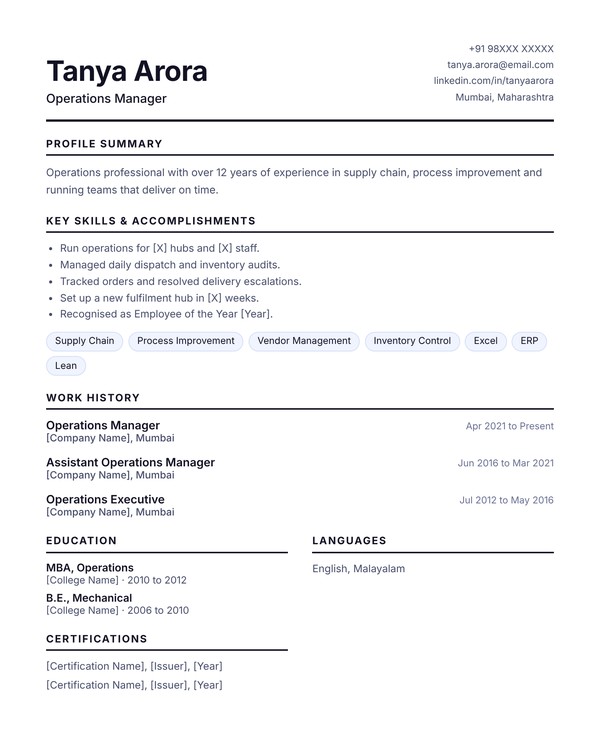
 Try this free template
Executive Pro
Clean corporate design for senior roles
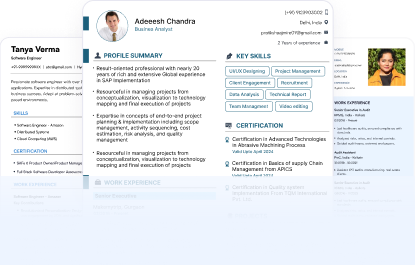
Choose from functional resume templates designed for different industries and experience levels. All templates use ATS-friendly layouts and recruiter-friendly sections.
Try this free template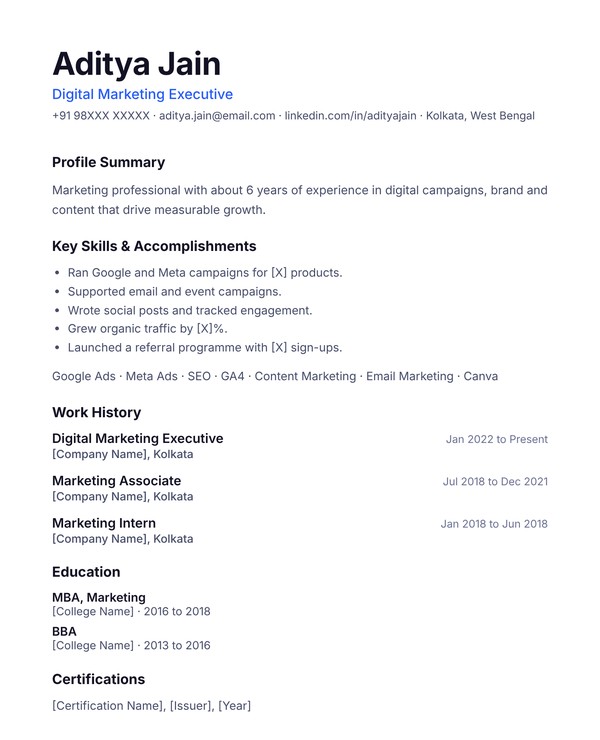 Try this free template
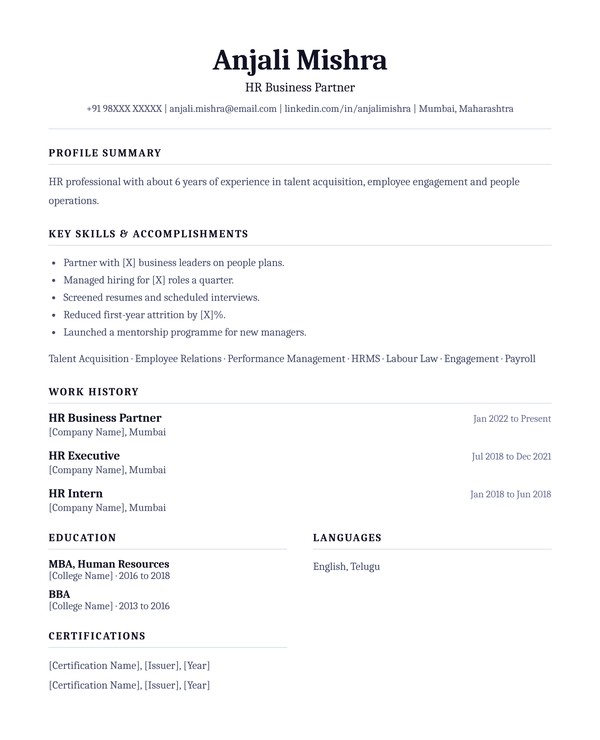 Try this free template
 Try this free template
 Try this free template
 Try this free template
 Try this free template
 Try this free template
 Try this free template

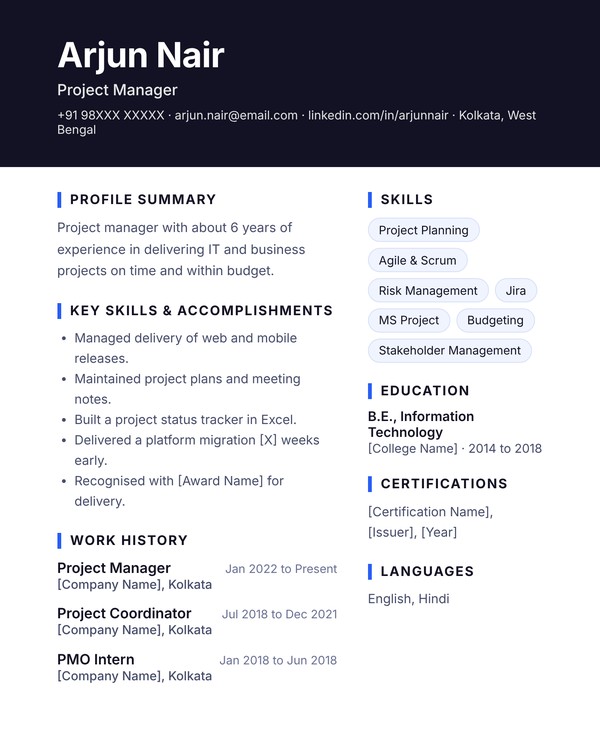
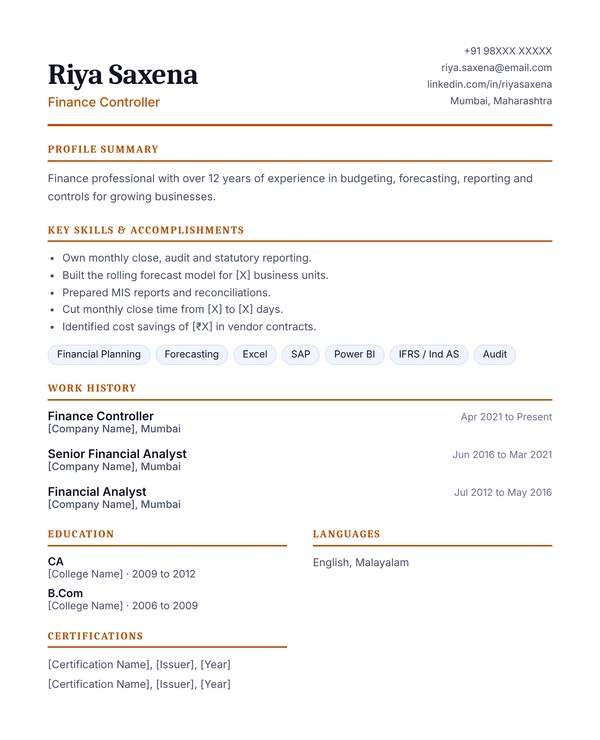
A functional resume format is a skills-based resume structure that organises professional achievements under skill categories instead of individual job titles. It places your skills and accomplishments before employment history. These achievements can come from previous jobs and freelance work as well as internships and academic projects.
Functional resume groups achievements under skill categories such as:

A standard functional CV format generally includes the following sections:
Unlike a chronological resume, the functional format gives greater space to professional skills and achievements. Employment history remains brief but provides recruiters with the details needed to understand your work background.
A functional resume template is a ready-made layout that organises your qualifications around professional skills instead of a detailed job-by-job timeline. It provides dedicated sections for transferable skills and brief employment details. You can add accomplishments from previous jobs or projects without creating the layout from scratch.
Here are the main features of functional CV templates:
Naukri’s functional resume templates come in different professional designs. You can customise skill categories and adjust the layout using our AI resume builder.
Functional resumes can be harder for some Applicant Tracking Systems (ATS) to process because they give less importance to employment timelines. However, Naukri’s functional resume templates use ATS-friendly layouts with dedicated sections for job titles and employment dates. This helps ATS software identify work history while keeping professional skills prominent.
To make your functional resume format ATS-friendly:
An ATS-friendly design does not guarantee accurate parsing. If employers require a detailed employment timeline, a combination resume may be a better choice. Use Naukri’s ATS Resume Checker to identify potential formatting and content issues before applying.
A functional resume format suits applicants whose skills and project achievements provide better evidence of their abilities than previous job titles.
Choose a functional resume template when your previous job titles do not fully represent the skills required for your next position.
A functional resume may be less suitable when recruiters need detailed employment records or evidence of career progression.
A reverse chronological resume is better for showing career progression. A combination resume can highlight professional skills alongside a detailed employment timeline.
Choose a functional resume template based on your career background and the skills or achievements you want recruiters to notice first.
| Template Name | Best For | Why Choose It |
|---|---|---|
| Fresh Start | Freshers | Space for academic projects and internship skills |
| Minimal Edge | Career Changers | Clear sections for transferable skills |
| Amber Classic | Career Returners | Highlights updated skills and certifications |
| Tech Stack | Technical Applicants | Organised technical skills and projects |
| Creative Spark | Freelancers | Space for portfolio and client achievements |
| Corporate Slate | Contract Professionals | Separates skills and employment details |
| Executive Pro | Experienced Career Changers | Highlights leadership skills and achievements |
| Bold Impact | Skills-Based Applicants | Prominent skill categories and measurable results |
| Classic Plus | Administrative Professionals | Structured sections for office and operational skills |
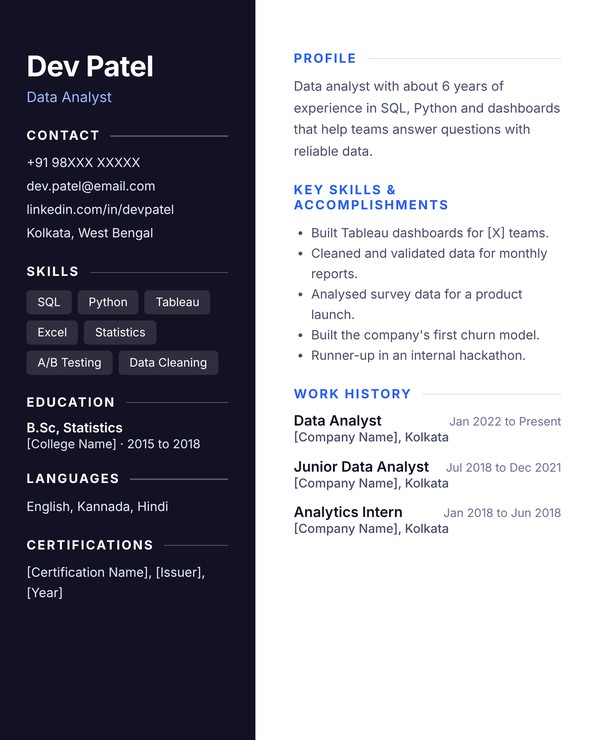
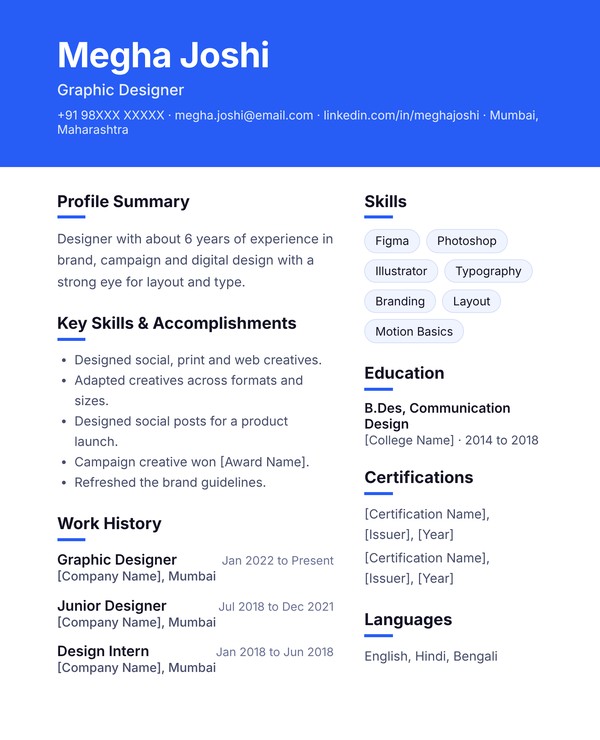
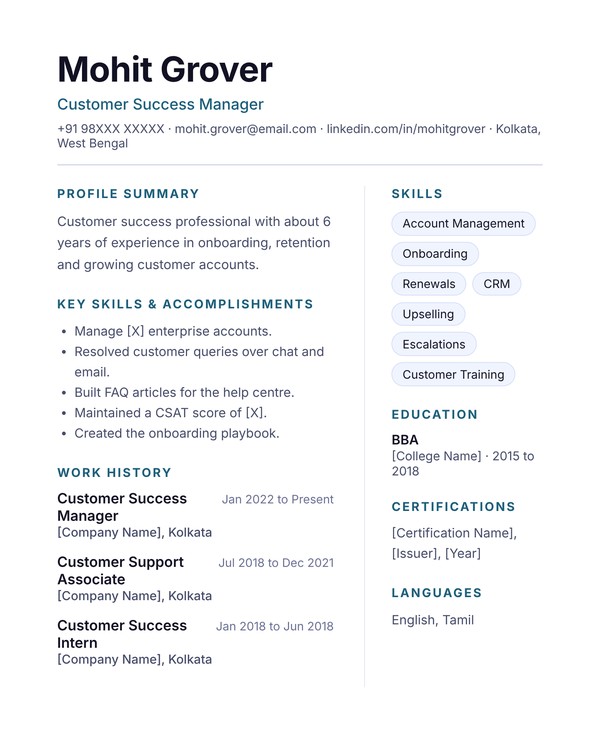
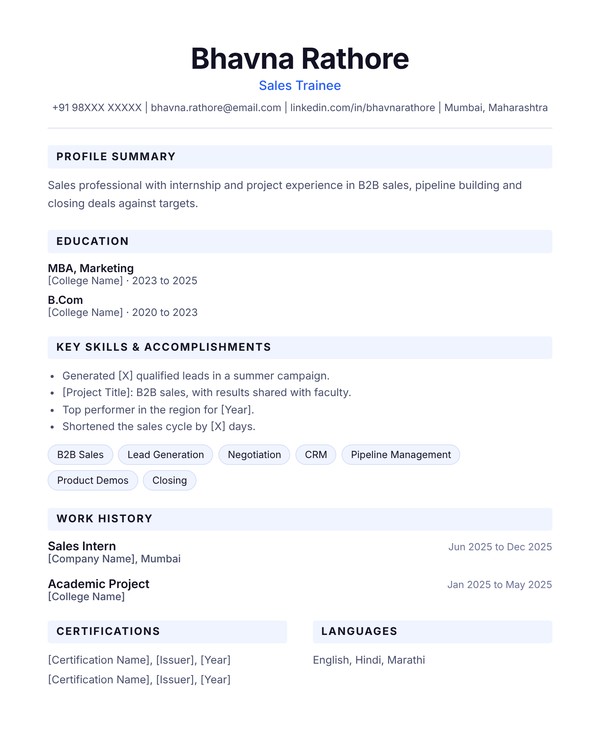
Use these functional resume examples to see how professional skills and measurable achievements are grouped into categories before employment history.
Follow these steps to create a functional resume format that presents your strongest qualifications through skill categories.
Start with your professional contact details at the top of your resume.
Write 50 to 60 words covering your professional background and target position. Mention two relevant skills and one measurable achievement. Career changers should highlight transferable experience that matches the new position.
Review the job description and select 3 to 5 skill categories that match the employer’s requirements. Under each category:
List your previous positions below the skills section. Include:
Keep job descriptions brief since your achievements already appear under skill categories.
List your latest qualification with the degree name, institution and graduation year. Add relevant certifications with issuing organisations and completion dates. Freshers can include job-related coursework and training.
Update your functional resume for each job application. Check that your skill categories match the job description and your achievements have supporting evidence.
Organise your functional resume skills around the responsibilities mentioned in the job description. Use specific category names that describe your professional expertise rather than broad headings like Communication or Teamwork.
Follow these guidelines to structure your functional resume:
Follow these formatting guidelines to keep your skills-first layout organised and easy for recruiters to review.
| Element | Recommended Formatting Guidelines |
|---|---|
| Layout | Single-column design with a wide skills section |
| Section Order | Contact Details → Summary → Skills → Work Experience → Education → Certifications |
| Achievement Bullets | 2 to 4 short bullets under each skill category |
| Work History | Compact entries with job titles and dates |
| Font Style | Arial, Calibri, Aptos or Helvetica |
| Body Text | 10 to 12 pt |
| Section Headings | 12 to 14 pt in bold |
| Margins | 0.5 to 1 inch on all sides |
| Line Spacing | 1.1 to 1.2 with clear gaps |
| Colours | Subtle accent colours |
| Resume Length | 1 page for freshers Up to 2 pages for extensive relevant qualifications |
| Graphics and Photos | Avoid skill bars, decorative icons and unnecessary photos |
| File Format | PDF for consistent appearance DOC/DOCX when requested by employers |
A functional resume format gives greater visibility to professional skills. However, its skills-first structure may create challenges when recruiters need a clear employment timeline.
Build your skills-based resume using Naukri’s free functional resume templates and AI resume builder.
Naukri offers free functional resume templates with editable sections and professional designs for different career backgrounds.
Avoid these mistakes when preparing your functional resume for job applications.
The functional format helped me highlight my skills first, instead of focusing only on my work timeline. It made my profile much clearer.

I was returning to work after a career break. This template helped me bring my skills and recent projects to the front.
I was changing industries, so a normal work-history format did not suit me. This layout helped me focus on transferable skills.
The template helped me group my experience by skills and strengths. My resume looked more relevant to the roles I was targeting.
Use a functional resume format for freshers when applying for entry-level jobs that accept academic projects, internships or certifications as evidence of practical ability.
Include job-specific skills listed in the job description. But make sure you only include the skills that you actually have. Group related skills into categories with supporting achievements.
Yes, even in functional CV templates, it is a good idea to include a work experience section to add context and credibility to your resume.
You should not use a functional resume format if the employer asks for a chronological resume or if your career path is your greatest strength.
A functional resume should be one page for entry-level individuals and two pages for professionals with advanced skill sets and certifications.
A functional CV format should consist of contact information, a professional summary, skill sections with accomplishments, education, and a work experience section.
Yes. A functional resume lets you highlight recent certifications, professional training and relevant skills gained during your career break. Keep your employment history accurate.
Yes. However, some recruiters prefer chronological resumes because they clearly connect achievements with previous employers, job titles and employment dates.
Choose a functional resume if your transferable skills are your strongest qualifications. Use a combination resume if you also have relevant employment experience to demonstrate.
Browse Naukri’s functional resume samples for career changers, freelancers and applicants with employment gaps. Choose a suitable example to create your own resume.
Yes. Naukri offers free functional resume templates through its resume builder. Additional designs and advanced writing features may require Naukri Pro.
Yes. Naukri offers free functional CV templates that you can customise with your qualifications. PDF and DOC download options are available.
Browse our complete library of professional templates
Give your transferable skills and measurable achievements the space they deserve. Build a functional resume using Naukri’s customisable templates.
