Do you think IIT Guwahati certified course can help you in your career?
Introduction 📚
GWT(Google Web Toolkit) is an open-source framework for making software development easy. With GWT, you can develop and debug AJAX (Asynchronous JavaScript And XML (Extensible Markup Language)) applications in the Java using the Java development tools. When you deploy your application, the GWT compiler translates your Java application to browser-compliant JavaScript and HTML(HyperText Markup Language).
This was all about Google Web Toolkit basic definition. Now let us explore what are the various features provided by GWT.
Let us explore about Google Web Toolkit features:-
🌼 GWT provides a free and open-source environment to be used worldwide.
🌼 GWT handles the browser's incompatibilities for different bindings.
🌼 Client and Server need not rush for various platforms because GWT provides a single code base.
🌼 For development, GWT uses Java, which helps make development easy due to various features like code navigation, safety, concurrency, maintenance, etc.
🌼 GWT also helps in integrating different tools of Java with it.
🌼 GWT provides the feature to compile Java code to JavaScript code suitable for the browser.
🌼 GWT also manages browser history.
🌼 It offers dynamic and reusable UI(User interface) components.
🌼 GWT provides numerous libraries for making development easy.
Purpose of using GWT
You may be wondering🤔 that are multiple ways of creating applications, then why we are learning about Google Web Toolkit. So to make your doubt clear, let's discuss the purpose of using GWT:
🌷 As the GWT is based on Java, one can develop and debug their applications in any IDE like Eclipse, IntelliJ IDEA, etc., by which the Developer can access all the features of IDE.
🌷 As Java is an object-oriented programming language, GWT uses the OOPs approach to develop software.
🌷 GWT provides easy binding of XML(Extensible Markup Language), HTML(HyperText Markup Language), CSS(Cascading Style Sheets), and Java, which helps the Developer to create, design, and implement complex applications quickly.
🌷 Developers are not required to write Javascript code as GWT provides Java to Javascript compiler to provide browser-specific Javascript code.
🌷 GWT also provides a library consisting of a set of widgets and panels which can be directly used with some required changes.
Hopefully, now you would also like to use GWT to develop your applications after knowing these functionalities.
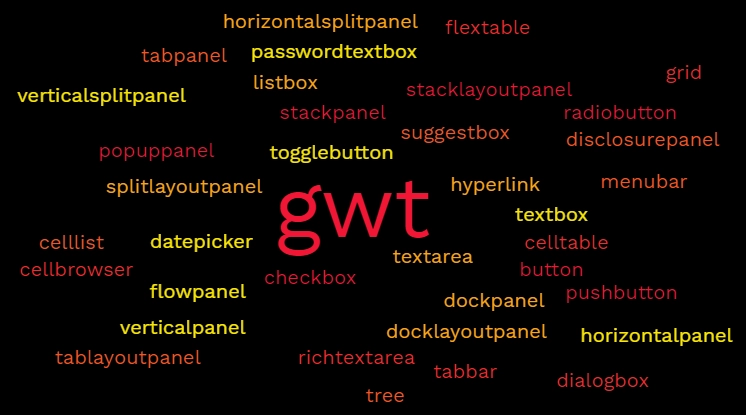
Below is the list of various widgets available in GWT with their purpose.👇
The GWT CellList Widget represents a single-column list of cells. This GWT CellList Widget can be used to create layouts with a single-column list of cells.
The Image widget shows an image from the specified URL. The default setting for the image widget is "unclipped", however it can also be used in "clipped" mode.
The FlexTable widget represents a flexible table with dynamically generated cells. Individual cells can be made to span many rows or columns, and the structure can be jagged, meaning that each row may have a variable amount of cells.
Components of GWT📝
After learning about Google Web Toolkit features and widgets available, we will now learn about the components of GWT.
Frameworks in GWT are majorly divided into four main components:
Java-to-JavaScript Compiler: For building RIAs, GWT provides a powerful tool to translate the application code written in Java into Javascript code.
GWT Development Mode: This is used to run the application in development mode. Development mode allows GWT Developer Plug-in.
JRE (Java Runtime Environment) emulation library: GWT includes a library that emulates the Java runtime library i.e., ‘java.lang’, ‘java.lang.annotation’, ‘java.math’, ‘java.io’, ‘java.sql’, ‘java.util.logging’, etc.
Web UI library: For creating a widget, GWT consists of subparts, including a set of the interface, UI components, classes, history management, and many more.
GWT Hosted Web Browser: This is used to run GWT applications in the hosted mode without compiling Java code into Javascript code.
Advantages😎
Java script projects are hard to maintain when compared to Java projects. But we need Javascript to run the RIA in the browser. So GWT combines both the above advantages.
GWT is almost similar to the swing package of Java and AWT.
Each browser has its own set of problems; therefore, supporting all of them in the market is challenging. So, GWT solved this problem by creating optimized javascript code for each browser.
Disadvanages😌
When Java is compiling into javascript to run on the browser, it will run only if enabled. Otherwise, it will not work.
Search engines do not index the web pages created by GWT since these web applications are generally dynamic.
If you have a UI designer who can create HTML pages, this will not work; hence you will need to implement whatever designer created again in GWT.
Creating GWT Applications
In this section, we will go through the simple steps to show how GWT applications can be compiled and executed.
✨ Step 1: Create a simple Web Application using Eclipse IDE and name your project as GWTProjectOne (or anything of your choice). The Eclipse IDE and file structure will look something like this -
✨ Step 2: GWT plugin will create a default module descriptor file ‘src/com.coding/ninjas/GWTProjectOne.gwt.xml’; your task is to modify this XML file.
✨ Step 3:GWT plugin will create a default Style Sheet file ‘war/GWTProjectOne.css’; you can modify this file according to your application design.
✨ Step 4: GWT plugin will create a default HTML file ‘war/GWTProjectOne.html’ and replace the default code with your code.
✨ Step 5: GWT plugin also creates a default Java file which is considered as the entry point of the application ‘src/com.coding/ninjas/GWTProjectOne.java.
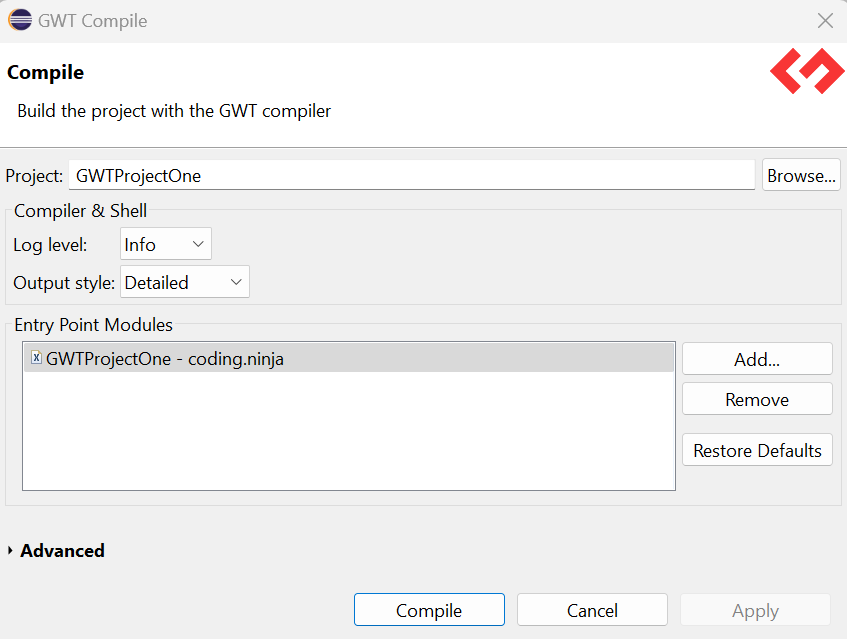
✨ Step 6: After modifying all the files, now it's time to compile the application. To do so, click on the dropdown button of the run button and select the project you want to run that is, in our case, GWTProjectOne.
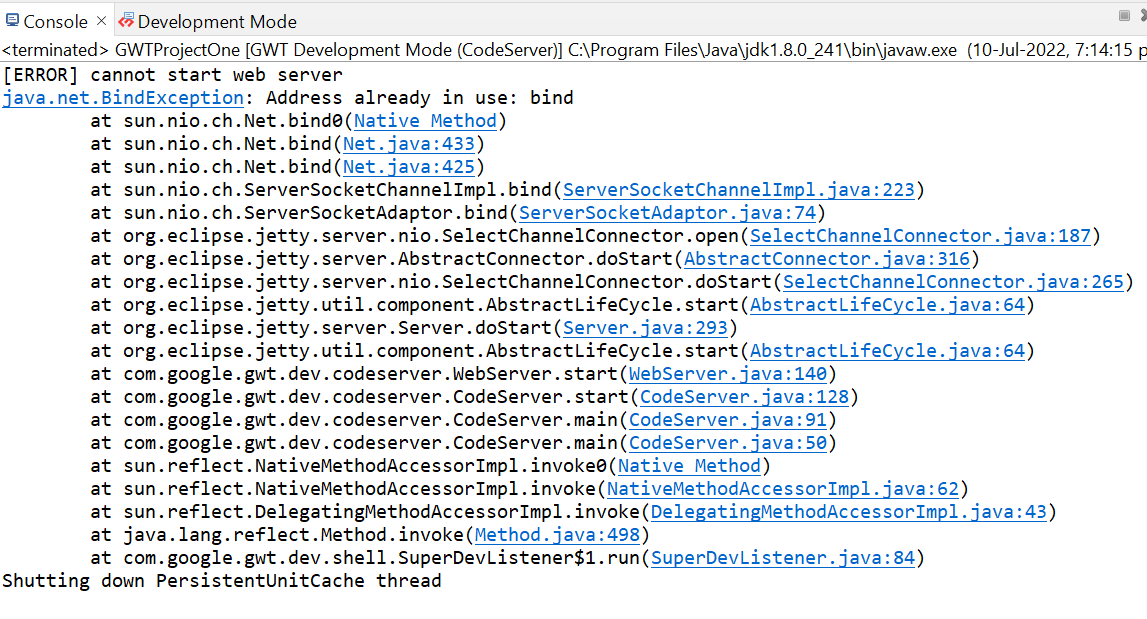
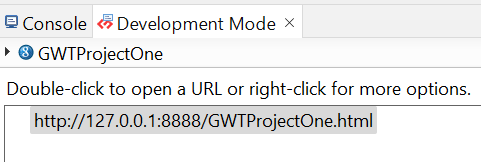
✨ Step 7: After clicking, you will see the following outputs in the console and development mode tab.
✨ Step 8: After clicking on the link in development mode, you will see the output of the code.
✨ Step 9: You need to install the GWT developer plugin in your browser to run the application in developer mode; if already installed, your output will be on your screens after the above steps.
We hope you have completely understood all about Google Web Toolkit.
Frequently Asked Questions
What is GWT?
GWT is a development toolkit used to create and improve sophisticated browser-based apps.
What are the advantages of GWT?
An open-source Java software development platform, Google Web Toolkit (GWT) makes it simple to create AJAX apps. You can use the Java development tools to develop and debug AJAX apps with GWT.
Mention the objective of GWT?
GWT's objective is to make it possible to construct high-performance web apps productively without the developer has to be an expert in JavaScript, XMLHttpRequest, or browser quirks.
What characteristics does GWT have?
Asynchronous remote procedure calls, history management, bookmarking, UI abstraction, internationalization, and cross-browser portability are some of the characteristics of GWT.
Is GWT a framework?
An open-source Java software development platform called Google Web Toolkit (GWT) makes it simple to create AJAX apps. You can use your own Java development tools to develop and debug AJAX apps with GWT.
Conclusion
In this article, we have learned about Google Web Toolkit. We have also discussed its features, many widgets available, purpose and the advantages and disadvantages of using GWT, along with some frequently asked questions about Google Web Toolkit.
If you would like to learn more about Google Web Toolkit, check out our articles on-














 1+ registered

