


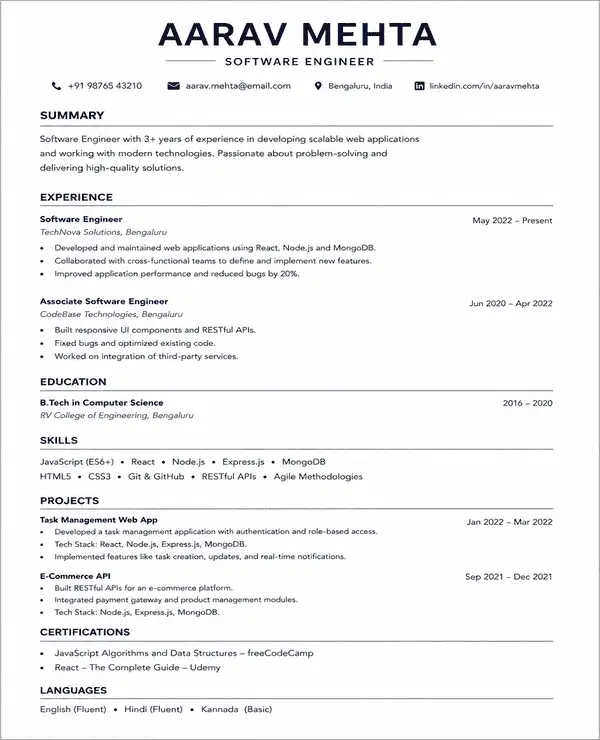
 Try this free template
Clean
Simple timeless layout for most job applications
Find free simple resume templates made for different roles and experience levels. Every template is ATS-friendly and built around current Indian hiring standards.
Try this free template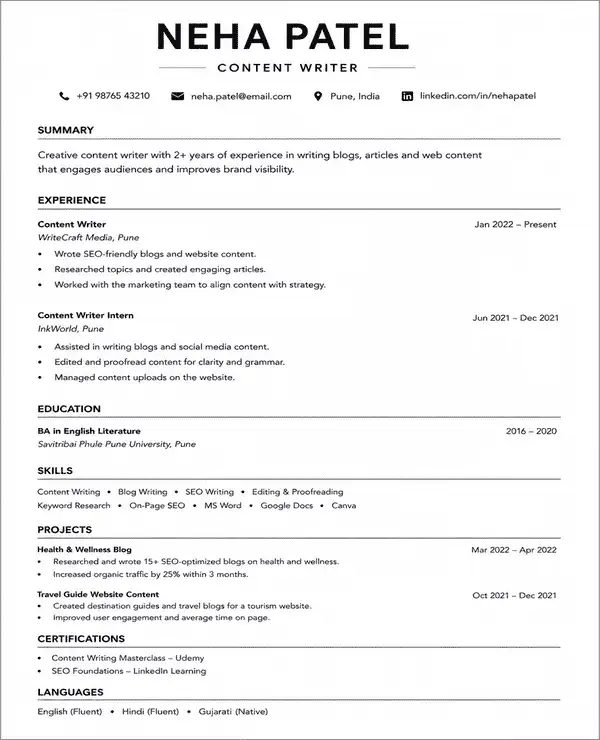 Try this free template
 Try this free template
 Try this free template
 Try this free template
 Try this free template
 Try this free template
 Try this free template
 Try this free template
A simple resume template uses a clean structure with limited design elements so recruiters can find important details quickly. Simple resume templates are also known as basic resume templates. They keep your skills and experience easy to read without unnecessary graphics or complex formatting.
Here are the key features of a simple resume template:
Naukri’s simple resume templates have adjustable layouts that you can customize with our AI resume builder. Add more sections or change the structure based on the role you are applying for. The same clean structure can also be used as a simple CV template.
Simple resume templates are generally well suited to ATS because they rely on text instead of heavy design. However, a simple layout is not automatically ATS-friendly. The way you format and write the resume still matters.
For better ATS readability:
Naukri’s simple resume templates are designed with clean layouts that help keep your information readable for both ATS and recruiters.
The reverse-chronological format is the safest starting point for most job applications. It opens with your latest position and shows how your career has developed over time.
A simple resume format can still follow different content structures. The term “simple” mainly refers to the way the resume is presented through clean formatting and limited design elements.
This simple resume format puts your newest position at the top and places earlier jobs below it. It is best for:
A combination resume format places key skills near the top and supports them with a detailed work history. It is best for:
A functional resume places greater emphasis on your skills and less on the timeline of previous jobs. It puts your skills on top. Consider this format if you are:
A simple CV format or basic resume format can follow any of these structures. Pick the structure that presents your background in the most relevant way for the job.
A simple resume format should include the main details an employer needs to review your profile. Keep each section easy to find and place the most useful information near the top.
The order can change based on your experience and the job you are applying for. A simple CV format or basic resume format can also include extra sections when they add useful information to your application.
A simple resume works best when every design choice makes the document easier to read. Use straightforward spacing and familiar formatting so recruiters can move through the page without distraction.
| Element | Recommended Simple Resume Format |
|---|---|
| Layout | One-column or simple two-column layout |
| Font | Arial, Calibri, Georgia or Times New Roman |
| Body Text | 10 to 12 pt |
| Headings | 14 to 16 pt |
| Margins | 0.5 to 1 inch |
| Line Spacing | Around 1.0 to 1.15 |
| Colours | Black with one subtle accent if needed |
| Section Titles | Standard labels |
| Bullets | Simple round bullets |
| Graphics | Keep images and icons minimal |
| Length | 1 page for freshers Up to 2 pages for experienced profiles |
| File Format | PDF or requested employer format |
A basic resume format should stay consistent from top to bottom. Avoid changing fonts or spacing between sections unless it helps separate information clearly.
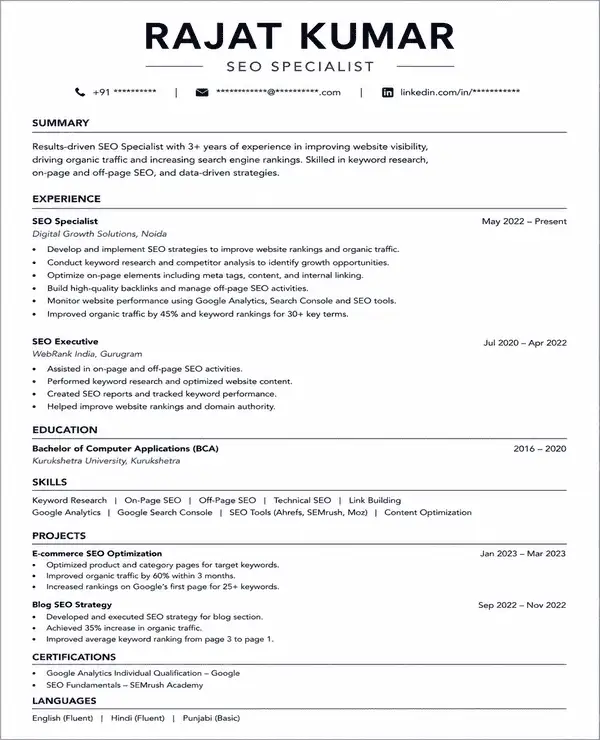
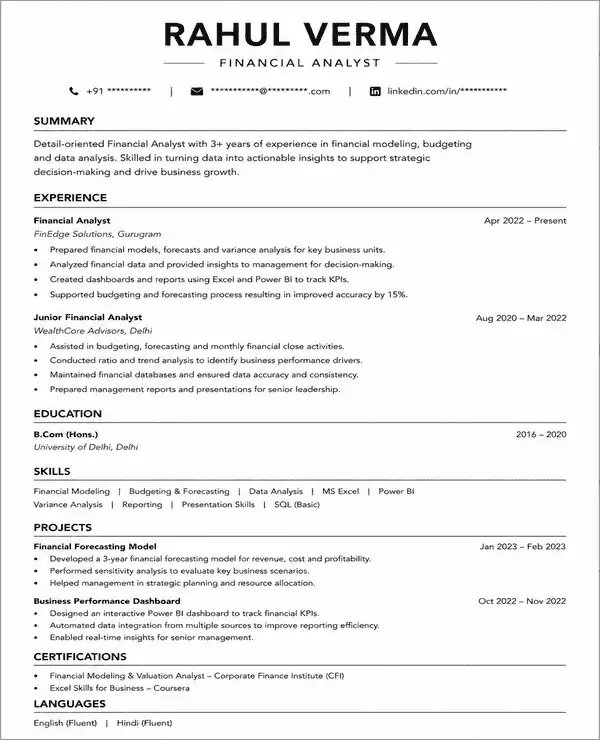
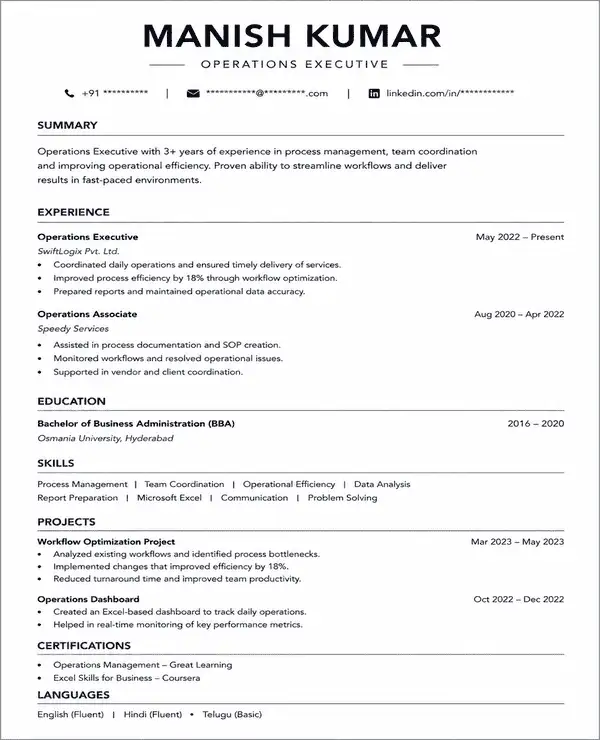
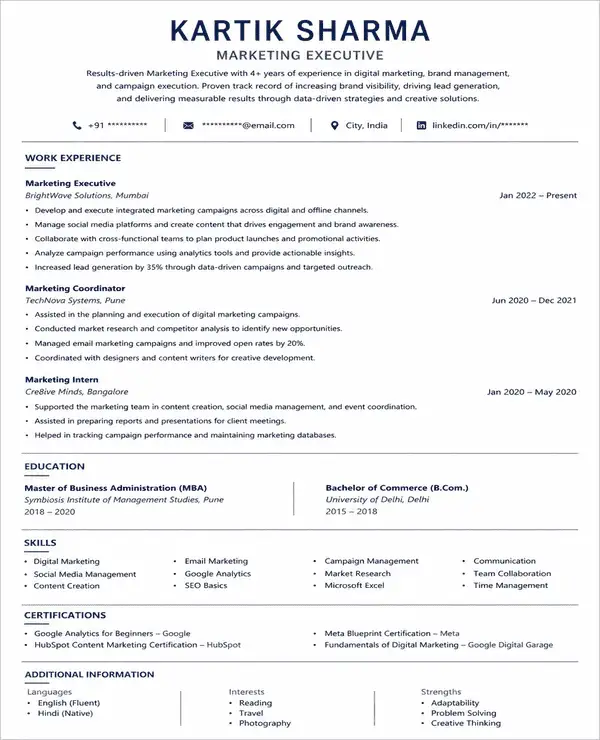
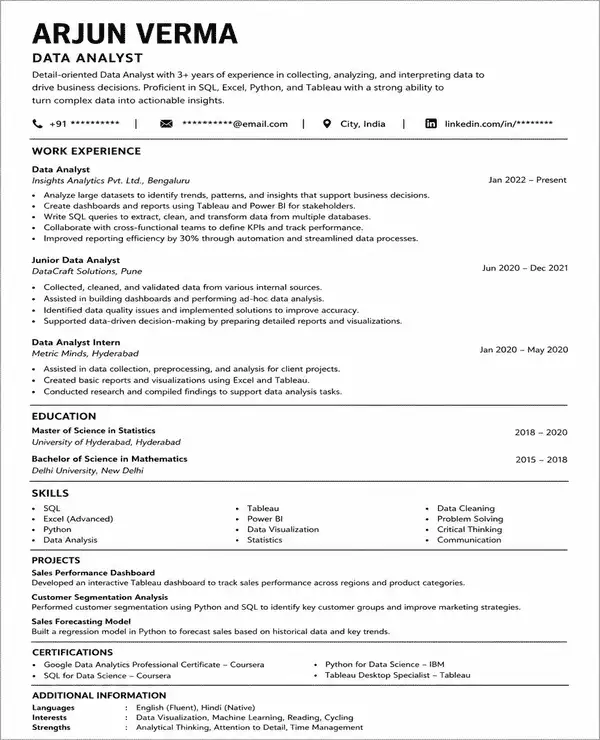
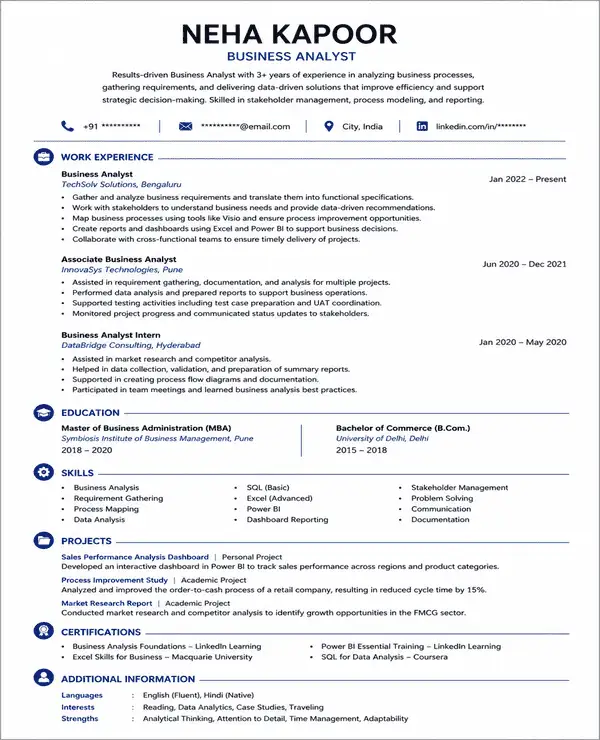
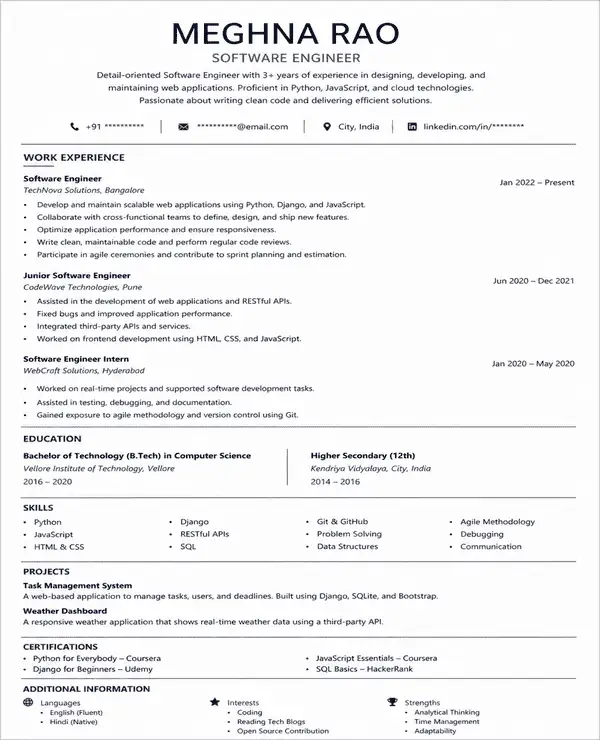
A finished resume is easier to follow than a description of one. These resume examples show how a simple layout holds a professional summary, work experience, skills and education for different roles:
Use any of these as a reference for section order and wording, then build your own version with a simple resume template above.
Simple resume templates work well for candidates who want a professional layout without extra design elements. They can be adapted across career levels and job types.
| Candidate | Why It Works |
|---|---|
| Freshers | Keeps education and skills well organized |
| Experienced Professionals | Gives career history and achievements more space |
| Corporate Professionals | Creates a formal and polished presentation |
| Banking and Finance Applicants | Matches the more traditional style |
| Healthcare Professionals | Makes qualifications and certifications easy to find |
| Administrative Candidates | Presents responsibilities and experience in a direct way |
| Technology Professionals | Keeps tools and technical details structured |
| Career Changers | Makes transferable information easier to organize |
A simple resume format is useful when clarity matters more than visual styling. It is especially practical when your application needs to be easy to review and simple to update.
Choose a simple resume template when:
Choose a template based on the type of profile you need to present. Some layouts give more room to experience while others work better for concise or ATS-focused applications.
| Profile | Recommended Style | Template |
|---|---|---|
| Fresher | Education-first layout | Pure |
| Corporate Professional | Polished professional structure | Clean |
| Experienced Professional | Achievement-led layout | Crisp |
| ATS-Focused Applicant | Text-first one-column design | Plain |
| Traditional Industry Applicant | Formal and structured layout | Core |
| General Job Seeker | Straightforward everyday format | Basic |
| Minimalist Preference | Spacious layout with more space | Minimal |
| Compact Professional Profile | Balanced layout for key details | Clear |
| Modern Professional | Subtle contemporary styling | Lite |
Recruiters may spend only a few seconds on the first resume scan. A Ladders eye-tracking study found an average initial review time of 7.4 seconds. A simple resume template makes important details easier to find during that quick review.
You can create a simple resume with Naukri’s AI resume builder without formatting everything from scratch. Start with a ready-made template and complete your resume in a few steps.
A simple resume format can be saved in PDF or Word depending on how you plan to use it. A simple resume PDF download keeps the layout fixed and is useful when your resume is ready to submit. A simple resume format in Word is useful when you want an editable copy for future updates.
Keep an editable version for updates and save the final copy in the format required for your application.
Naukri gives you more than a ready-made layout. You can build your resume faster with tools that help you add content and update the design.
A simple resume works best when the content stays relevant and the layout remains easy to scan. Keep these points in mind while editing your resume:
I wanted a resume that looked professional without too much design. The simple template made my experience and skills much easier to scan.

My old resume looked crowded. This template helped me remove unnecessary formatting and keep the focus on my experience and SEO work.
I apply for different marketing roles, so I need to update my resume often. The simple layout made those changes quick without affecting the overall structure.
I had several projects and responsibilities to include. The simple template gave me enough space to explain my work without making the resume look overloaded.
Yes. Naukri offers a simple resume template free download option. Choose a template and customize it before downloading the completed resume in the available format.
A basic resume format uses clear sections and limited design elements. It usually includes contact details, a summary, work experience, skills and education.
Yes. A simple resume format in Word can be edited and updated for different applications. Keep the layout simple and avoid complex tables or graphics.
You can create your resume with Naukri and use the available simple resume PDF download option. A PDF keeps the final layout consistent across devices.
A fresher simple resume format should give more space to education, skills, internships and projects. A one-column layout usually keeps these details easy to organize and review.
Choose a basic CV template and replace the sample content with your own details. You can also change the section order, fonts and layout based on your profile.
Yes. A simple resume format for freshers in Word makes it easy to update education, projects, internships and skills before each application.
Yes. A simple job resume works well for online applications because clear text and straightforward formatting are easier for recruiters and ATS to scan.
You can find a simple CV template on Naukri and customize it with your details before downloading it in the available format.
Yes. You can customize a CV basic format with Naukri’s AI resume builder by editing content, rearranging sections and using AI writing suggestions.
Yes. Simple resume templates can work across industries such as business, healthcare, IT, sales and administration. Roles that depend heavily on visual presentation may benefit from a more creative layout.
Browse our complete library of professional templates
Choose a simple resume template and build a clear ATS-friendly resume with Naukri’s AI resume builder.
